LaTeX resume templates, rebuilt for Google Docs™ and Word
If you like the look of an Overleaf resume but keep getting asked for a Word file, here's the closest Docs version of each popular template and how to move your text over.
Short answer
Which template to use instead
| LaTeX template | Its layout | Closest here |
|---|---|---|
| Jake's Resume (and sb2nov's, which it's based on) | One column, centered name, ruled headings, dates on the right | Jake's, the same layout in Times New Roman |
| Deedy Resume | Two columns: education and skills on the left, experience on the right | Compact, one column with the same density |
| AltaCV | Two columns with icons and colored accents | Modern Accent, which keeps color in the headings only |
| Awesome CV | One column, colored section titles, dates and places on the right | Modern Accent or Classic |
| moderncv | A European-style CV with dates in a left margin column | International CV, A4 and two pages |
Jake's has its own page with a side-by-side comparison against the LaTeX original.
Why people move from Overleaf to Docs
- Some applications want a .docx. LaTeX only gives you a PDF. A Google Doc exports to Word in one step, and our templates are built so the .docx looks the same.
- Quick edits. Changing one bullet for one application shouldn't mean recompiling and fixing a stray brace.
- Sharing for feedback. A career advisor or friend can comment on a Doc without knowing LaTeX.
- Parsing worries. Applicants in r/EngineeringResumes have reported LaTeX PDFs being read badly by application portals. We can't test those portals, but we do publish what an open-source parser reads from each of our samples. See how we test.
Moving your text over
- Pick the closest template from the table and copy it to your Google Drive.
- In Overleaf, open the compiled PDF and copy one section at a time. Copying from the PDF gives you plain text without LaTeX commands.
- In the Doc, select the sample text you're replacing and use Edit > Paste without formatting (Ctrl+Shift+V, or Cmd+Shift+V on a Mac), so the template's fonts and spacing stay.
- On each job or school line, delete any spaces before the date and press Tab once. The date jumps to the right margin on its own.
- Delete sample bullets you didn't replace and check the page count.
A PDF sometimes breaks long lines with hard returns when you copy. If a bullet pastes as two lines, click at the start of the second line and press Backspace once.
What doesn't carry over
- Computer Modern and Latin Modern fonts. Neither is in Docs or installed with Word, so a .docx using them would change font on the recruiter's computer. Times New Roman is the closest look that stays put. Our resume fonts guide explains which fonts are safe.
- Small caps. Google Docs has no small caps, so headings use plain capitals.
- Icons. The phone, email and GitHub icons in many LaTeX templates come from an icon font. In Docs they become images or odd characters. Plain text labels read better anyway.
- Sidebars and two columns. They're possible with tables in Docs, but parsers often read a two-column page straight across, mixing the columns together. We keep every template to one column.
- Exact spacing commands. LaTeX templates use precise vertical spacing. Docs uses space before and after paragraphs instead, which our templates already have set.
Templates that match LaTeX layouts
Each comes as a Google Doc and a .docx, in US Letter and A4.
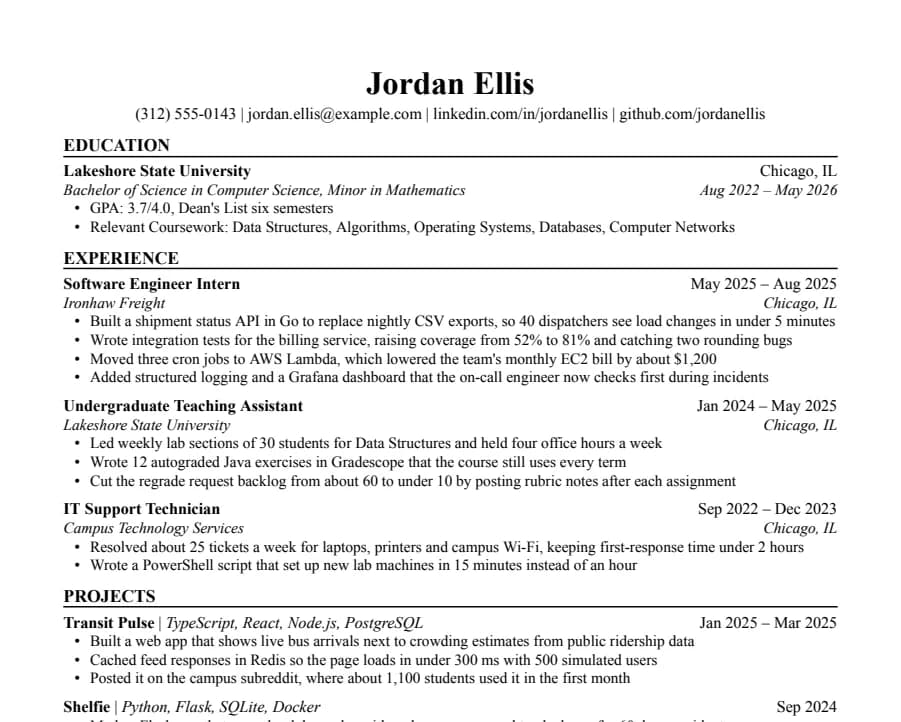
Jake's
46/46 fields read
The Jake's Resume layout rebuilt for Google Docs and Word. Dense, centered, made for tech internships and new-grad roles.
- 1 page
- Letter + A4
- Docs + Word
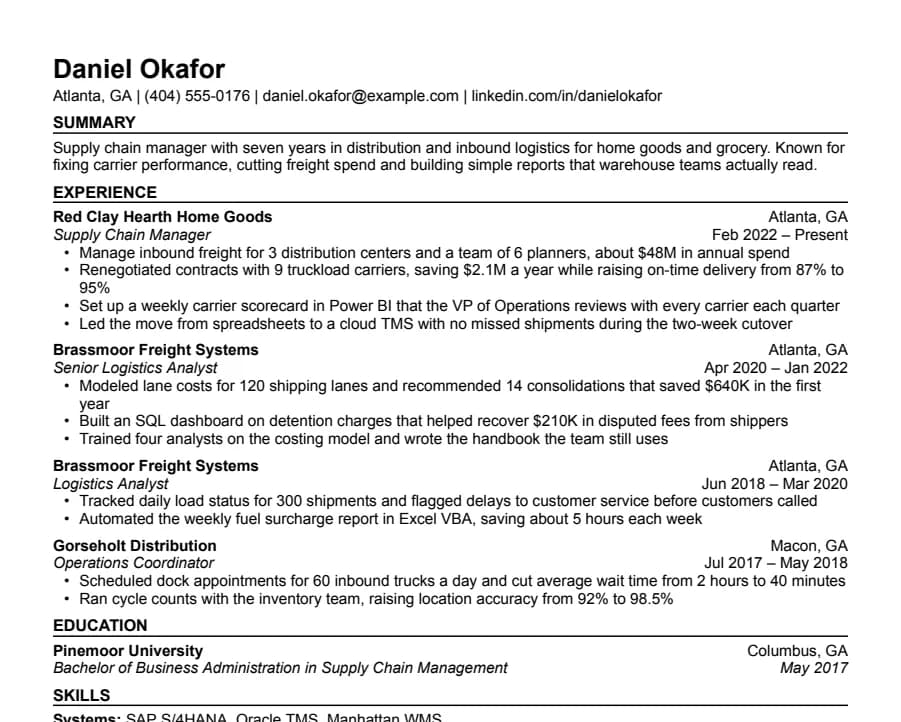
Compact
36/36 fields read
Half-inch margins and tight spacing for people with more experience than one page normally holds.
- 1 page
- Letter + A4
- Docs + Word
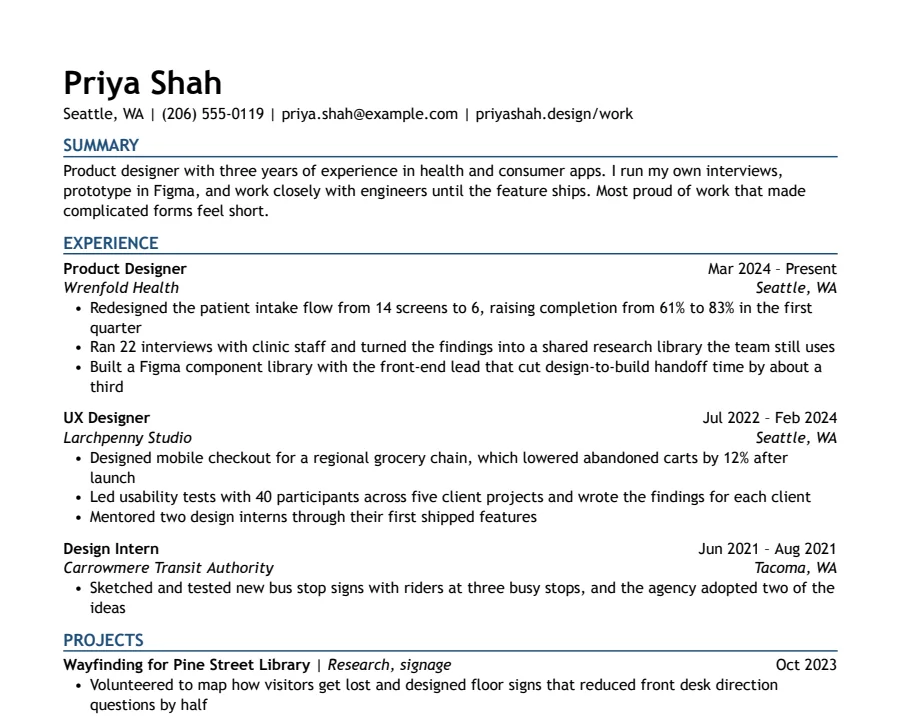
Modern Accent
35/35 fields read
One ink-blue accent on headings and rules, with a summary up top. Clean enough for any parser, with a little more personality.
- 1 page
- Letter + A4
- Docs + Word
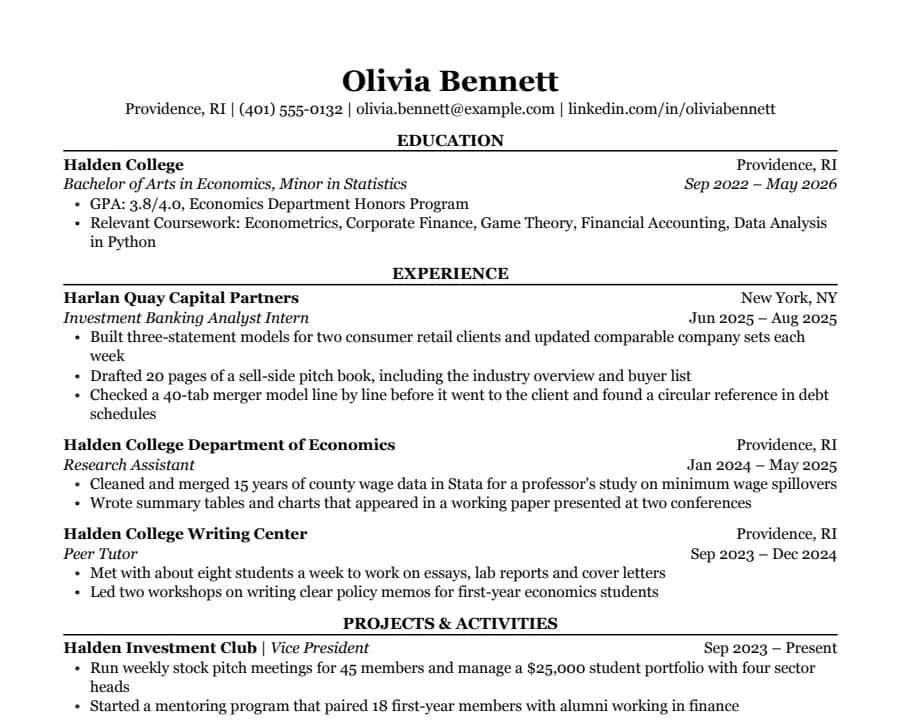
Classic
38/38 fields read
Serif type, centered headings and education first. The look many university career offices recommend for finance, law and consulting.
- 1 page
- Letter + A4
- Docs + Word
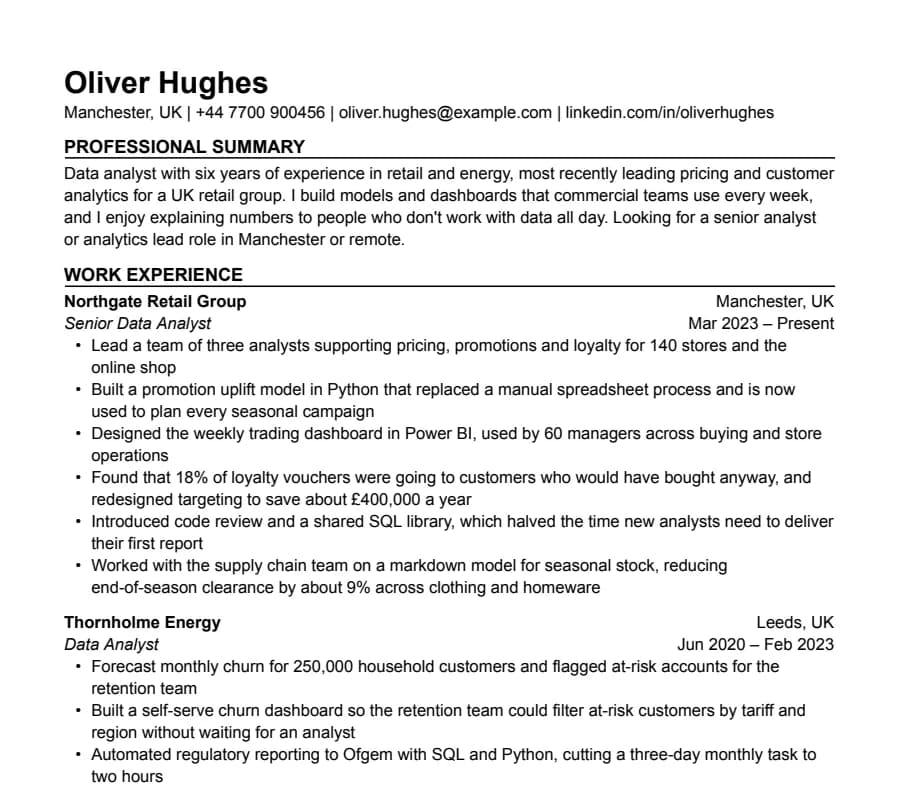
International CV
63/63 fields read
A4, no photo, a professional summary at the top and room for two pages. Written the way UK and European employers expect a CV.
- Up to 2 pages
- Letter + A4
- Docs + Word
Questions
- Can I import a .tex file into Google Docs?
- No. Google Docs doesn't read LaTeX source. Copy the text from your compiled PDF into a Docs template instead.
- Can I convert a LaTeX resume to Word automatically?
- Pandoc can convert simple LaTeX documents to .docx, but resume templates are built from custom commands and layout tricks. The result usually needs so much repair that pasting into a ready-made template is faster.
- Is a LaTeX resume better for ATS?
- Not by itself. What matters is what ends up in the PDF: real text in reading order, standard section names and no columns. A Google Docs resume built that way reads just as well, and you can send it as Word when asked.
- Will my Docs resume look exactly like the Overleaf one?
- Very close for one-column layouts. The font and small caps change, as explained above. Two-column layouts become one column on purpose.