Simple resume and CV templates for Google Docs™
Plain text in one column. Nothing to fight with when you edit, and nothing for a parser to trip on.
Templates
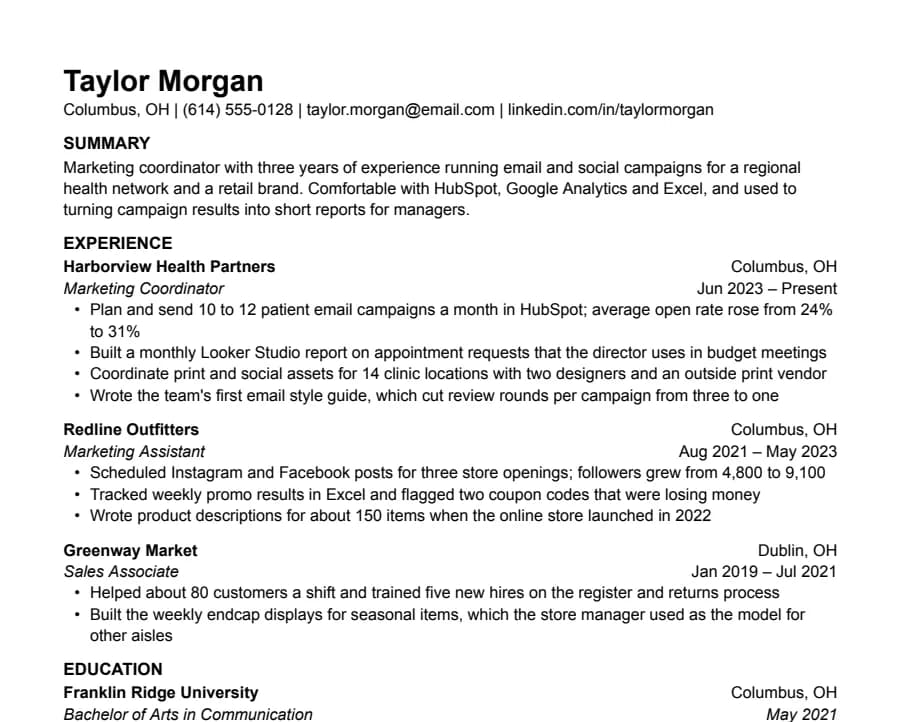
Plain
33/33 fields readNothing but text, left-aligned, in Arial. A safe default for any job when you don't want the layout to be noticed.
- 1 page
- Letter + A4
- Docs + Word
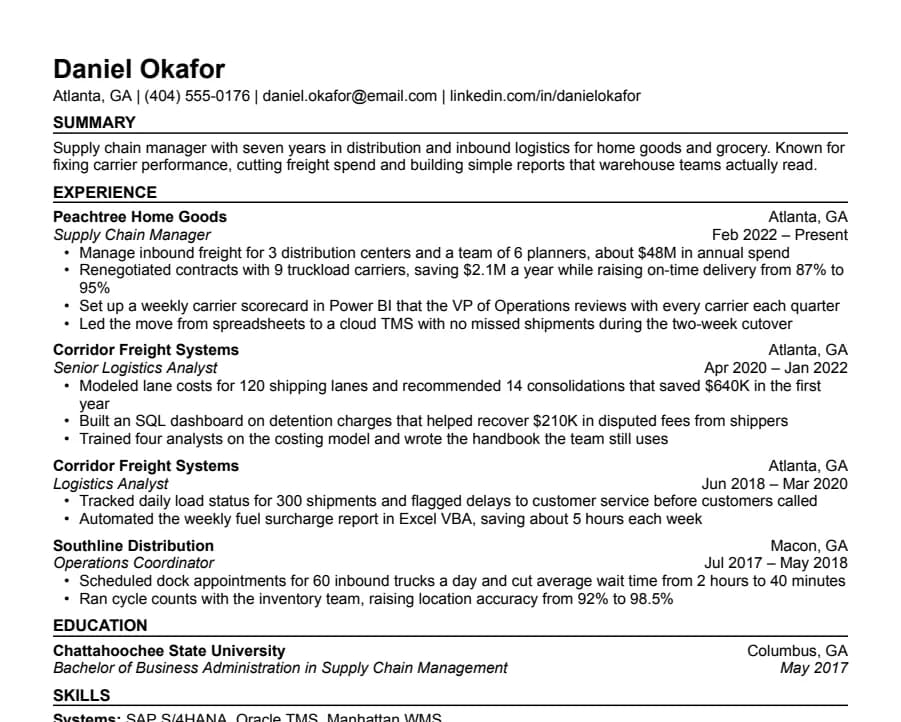
Compact
36/36 fields readHalf-inch margins and tight spacing for people with more experience than one page normally holds.
- 1 page
- Letter + A4
- Docs + Word
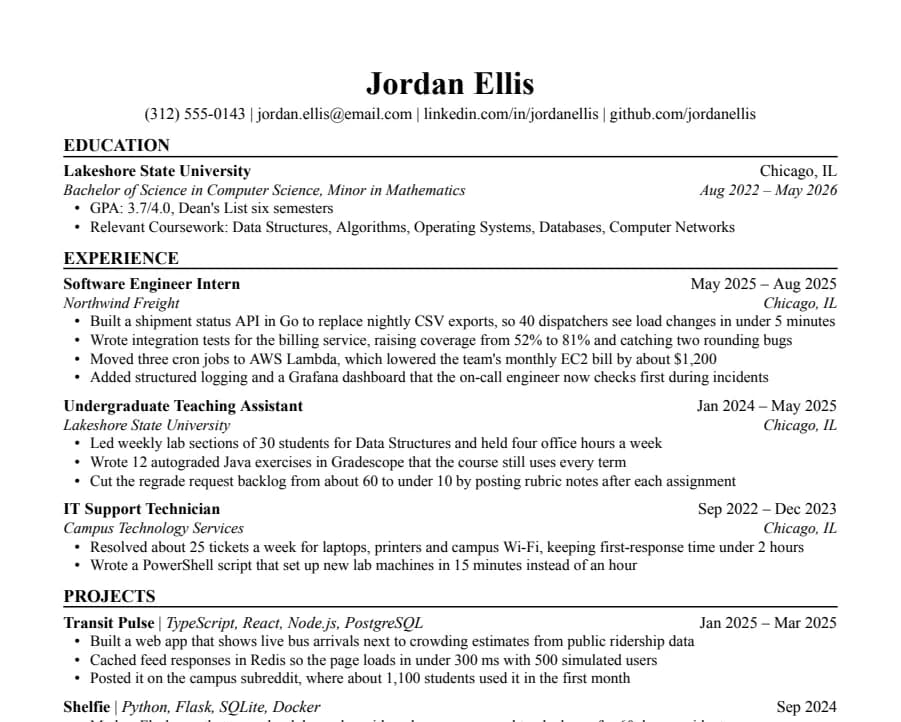
Jake's
46/46 fields readThe Jake's Resume layout rebuilt for Google Docs and Word. Dense, centered, made for tech internships and new-grad roles.
- 1 page
- Letter + A4
- Docs + Word
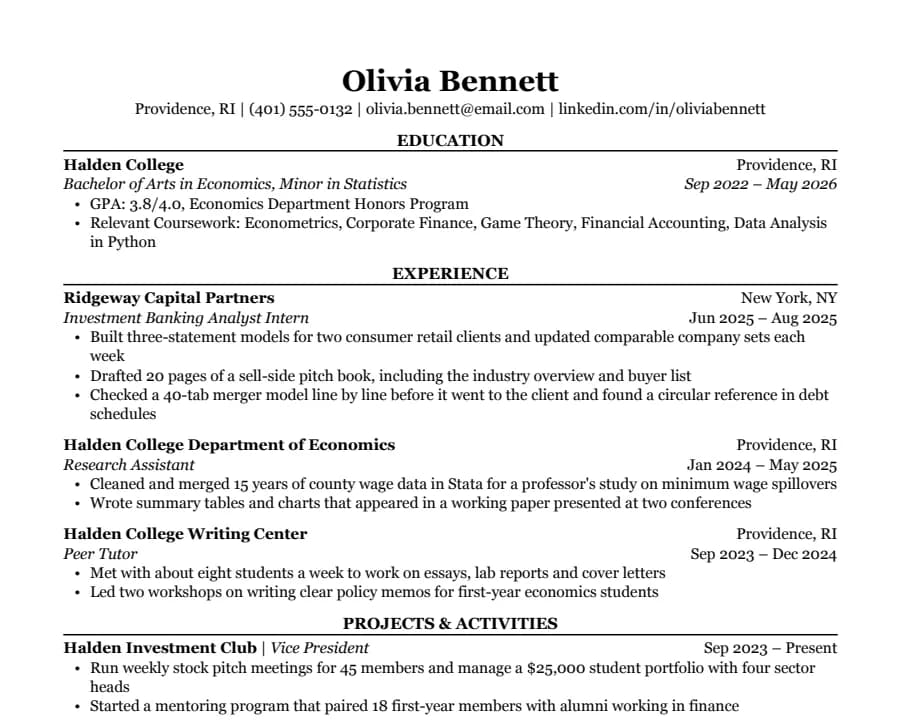
Classic
38/38 fields readSerif type, centered headings and education first. The look many university career offices recommend for finance, law and consulting.
- 1 page
- Letter + A4
- Docs + Word
Why simple works
A simple resume is quick to edit and hard to break. There are no tables to fight with, no text boxes that slide around when you add a line, and nothing a hiring system has to guess about. It also reads well on a phone, which is where many recruiters first open it.
Simple doesn't mean bare. A clear heading for each section, dates lined up on the right and consistent spacing do most of the work. That's all these templates use.
Which one to pick
- Plain: Arial, left-aligned, a summary at the top. The safest default for any job.
- Compact: the same idea with half-inch margins, for a longer work history that still needs to fit one page.
- Jake's: serif and dense, popular for tech roles.
- Classic: serif with centered headings, education first.
Simple CV or simple resume?
The layout is the same. If you're applying in the UK or Europe, switch the template to A4 and see our CV templates for what to include.
Questions
- Is a simple resume template better for ATS?
- One column and plain text are the safest layout for parsers. We check every template with an open-source parser and publish the results; here are the rules we follow.
- Will a basic resume look too plain?
- Not if the content is strong. Recruiters care about what you did and how clearly it's written. If you want a little color, Modern Accent adds one ink-blue accent without changing the structure.
- Can I change the font?
- Yes, but pick one installed on Windows and macOS, like Arial, Georgia or Verdana, so a Word copy looks the same on the recruiter's computer.