Cover letter templates for Google Docs™
Each one uses the same fonts and header as a resume template, so the two look like a set.
Templates
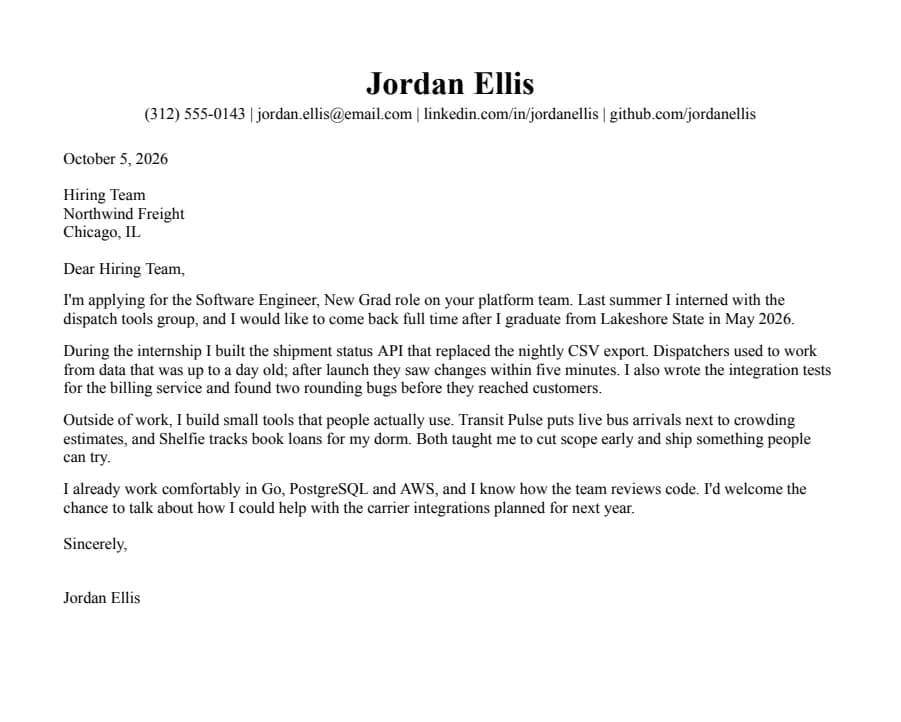
Jake's
Text reads cleanlyThe Jake's Resume layout rebuilt for Google Docs and Word. Dense, centered, made for tech internships and new-grad roles.
- 1 page
- Letter + A4
- Docs + Word
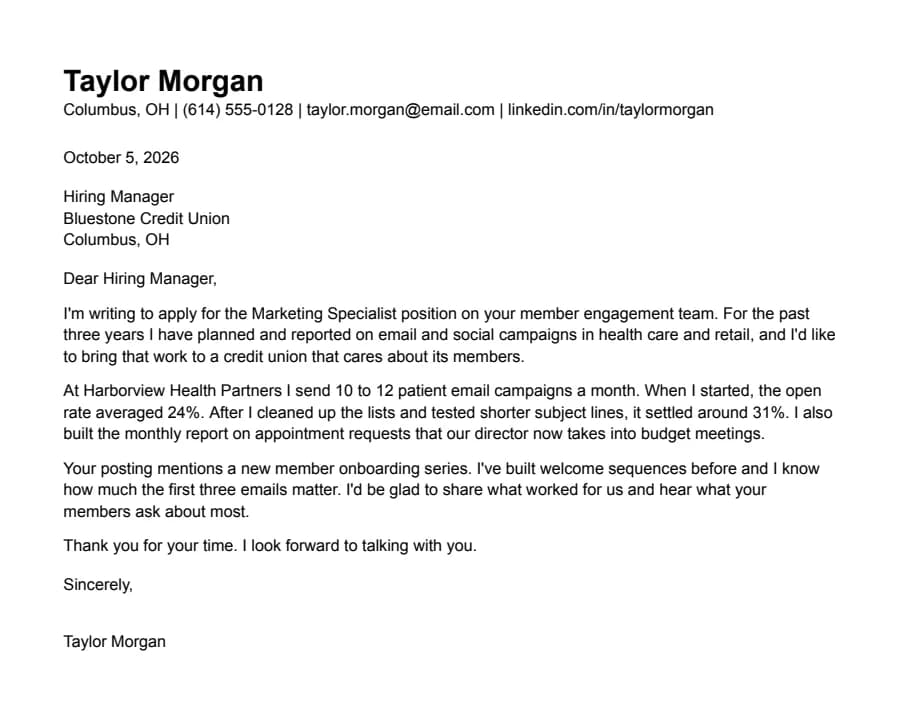
Plain
Text reads cleanlyNothing but text, left-aligned, in Arial. A safe default for any job when you don't want the layout to be noticed.
- 1 page
- Letter + A4
- Docs + Word
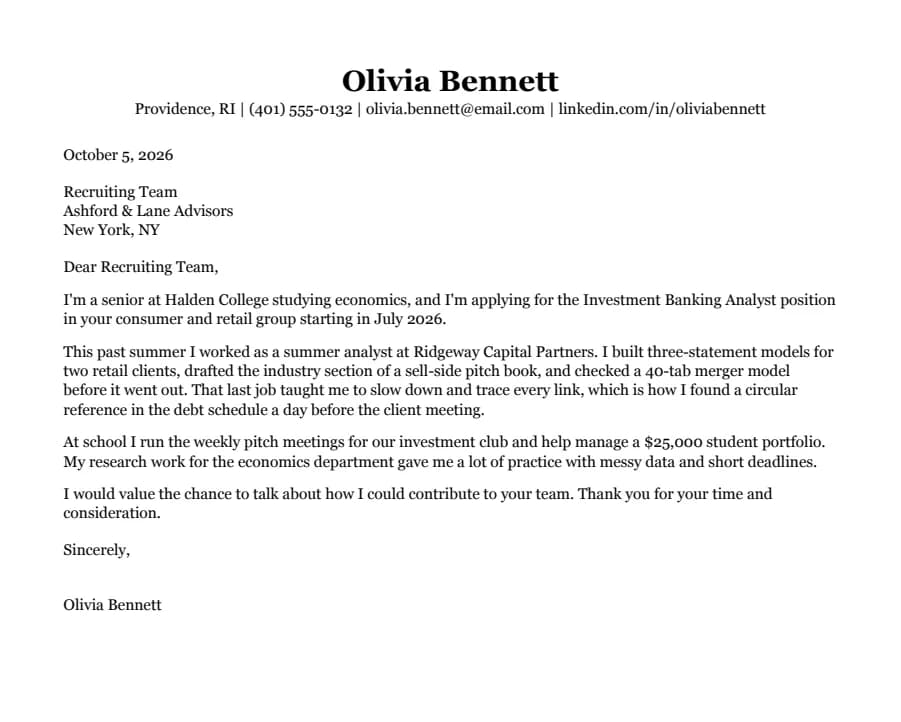
Classic
Text reads cleanlySerif type, centered headings and education first. The look many university career offices recommend for finance, law and consulting.
- 1 page
- Letter + A4
- Docs + Word
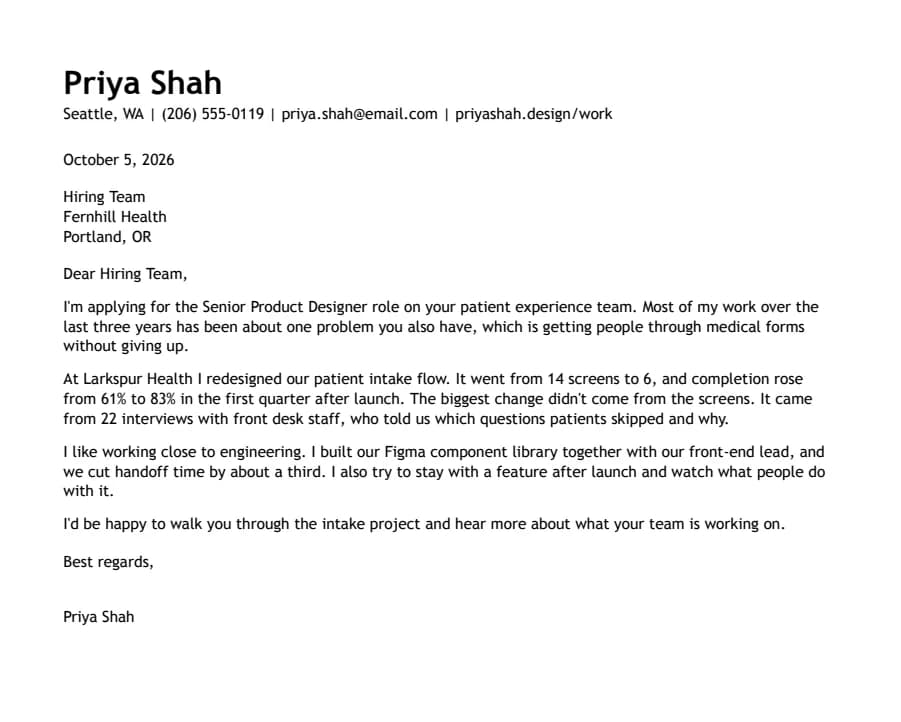
Modern Accent
Text reads cleanlyOne ink-blue accent on headings and rules, with a summary up top. Clean enough for any parser, with a little more personality.
- 1 page
- Letter + A4
- Docs + Word
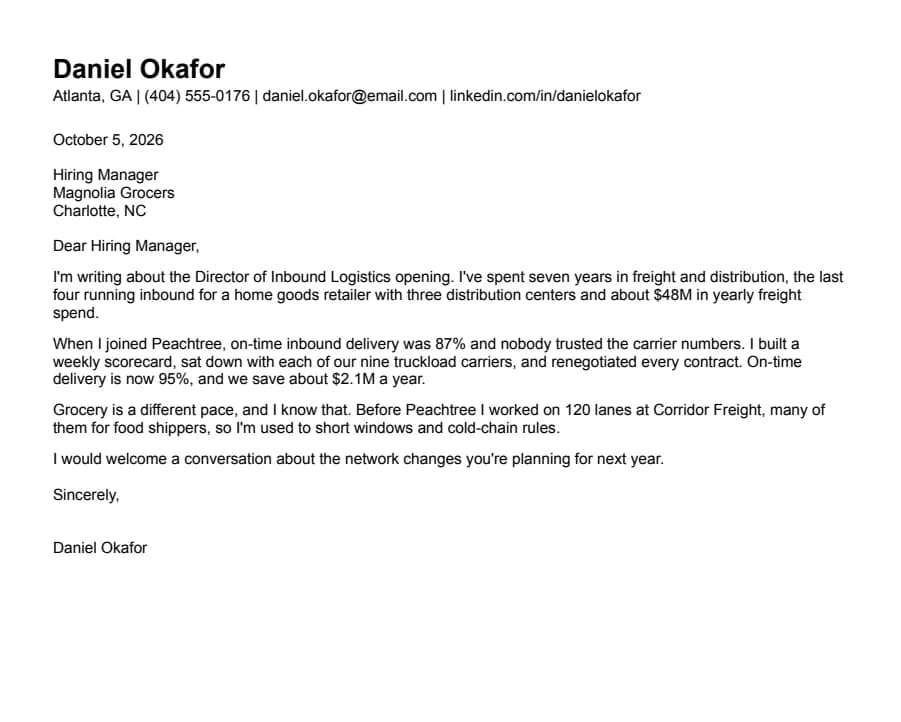
Compact
Text reads cleanlyHalf-inch margins and tight spacing for people with more experience than one page normally holds.
- 1 page
- Letter + A4
- Docs + Word
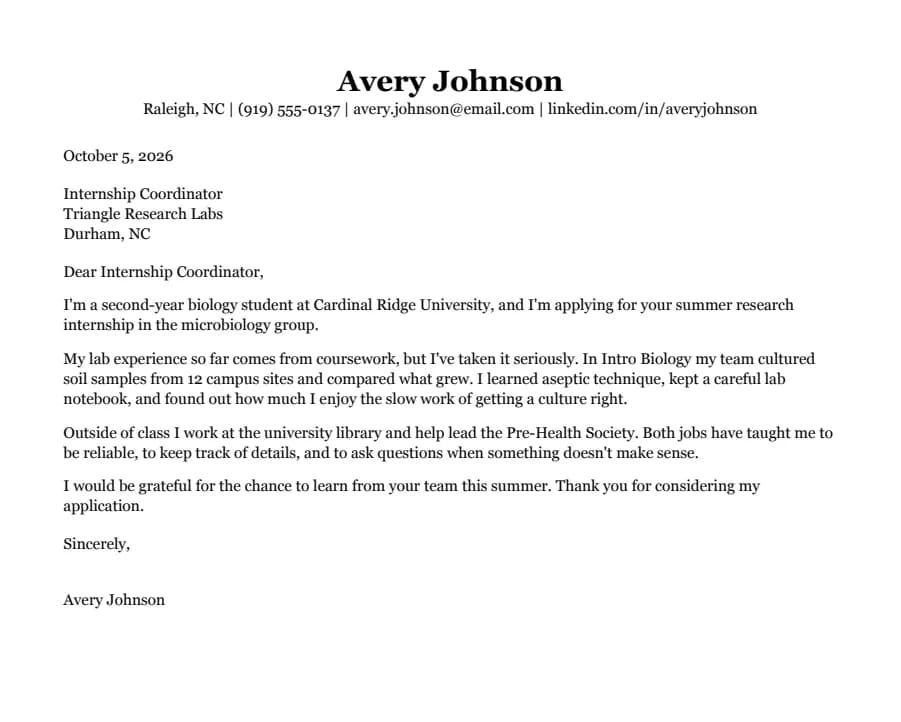
Student
Text reads cleanlyEducation first, then part-time jobs and a section for clubs, volunteering and class projects. Made for a first internship.
- 1 page
- Letter + A4
- Docs + Word
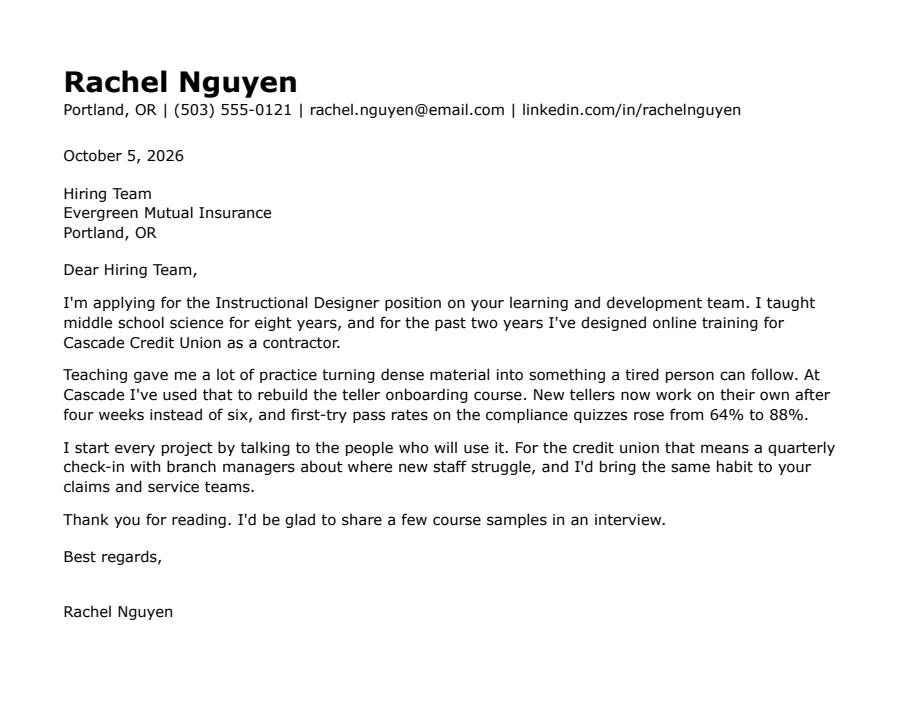
Skills-first
Text reads cleanlySummary and skills come before work history. Useful when you're changing careers or coming back after a gap.
- 1 page
- Letter + A4
- Docs + Word
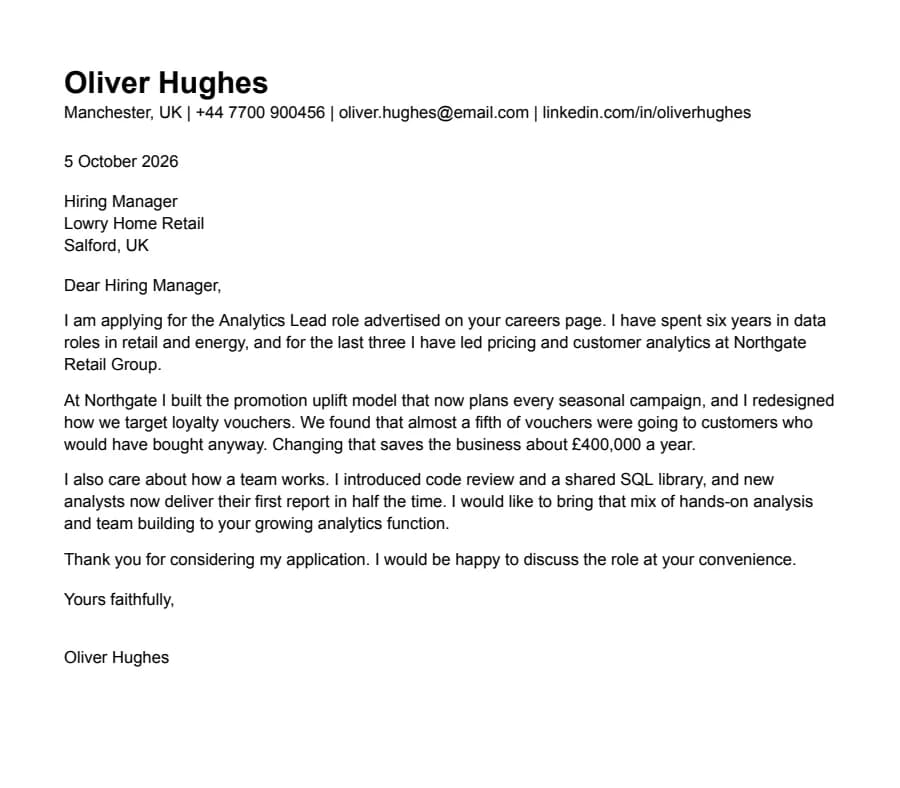
International CV
Text reads cleanlyA4, no photo, a professional summary at the top and room for two pages. Written the way UK and European employers expect a CV.
- 1 page
- Letter + A4
- Docs + Word
What goes in a cover letter
Most hiring managers skim a cover letter in under a minute. Four short paragraphs are plenty, and every template here is laid out for that:
- The role and why you're writing. Name the job and, if you have one, the connection that brought you to it.
- One piece of work that fits the job. Pick something from your resume and tell the short version: what was wrong, what you did, what changed. Numbers help.
- Why this employer. Mention something specific from the posting or their work. A generic line here undoes the rest.
- A plain close. Thank them and say you'd like to talk. No need to repeat your resume.
Keep the letter and resume matched
Recruiters often open both files side by side. A letter in Calibri next to a resume in Georgia looks like two different people sent them. Each letter here copies the name, contact line, font and margins from its resume, so you only need to change the text. If you edit your resume's font, change the letter's too.
Sending it
Unless the posting says otherwise, send a PDF. In Google Docs use File > Download > PDF Document, and name it the same way as your resume, for example Jordan-Ellis-Cover-Letter.pdf. The export guide covers Word files.
Questions
- Do I still need a cover letter?
- Not always. Many applications make it optional. Write one when the job asks for it, when you're changing fields, or when you have a specific reason to want this employer. A short, specific letter beats none; a generic one rarely helps.
- How long should it be?
- Under one page, usually 250 to 400 words. Each template has room for four paragraphs with the header.
- What if I don't know the hiring manager's name?
- "Dear Hiring Manager" or "Dear [Team name] Team" is fine. Don't guess a name.
- Can I use the cover letter with a different resume template?
- Yes, but they'll match best when the fonts are the same. Change the letter's font to your resume's font if they differ.