Free Google Docs™ CV templates
A4 paper, no photo and plain section headings. Every Google Docs CV template here also has a US Letter version.
Templates
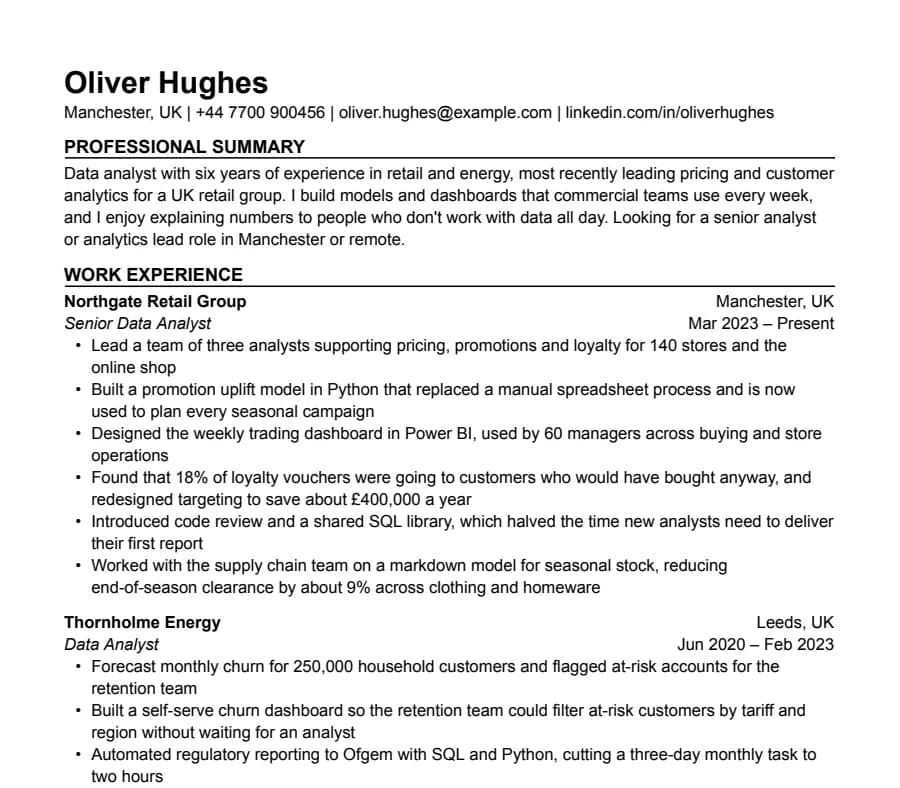
International CV template
63/63 fields read
A4, no photo, a professional summary at the top and room for two pages, the way UK employers expect a CV.
- Up to 2 pages
- Letter + A4
- Docs + Word
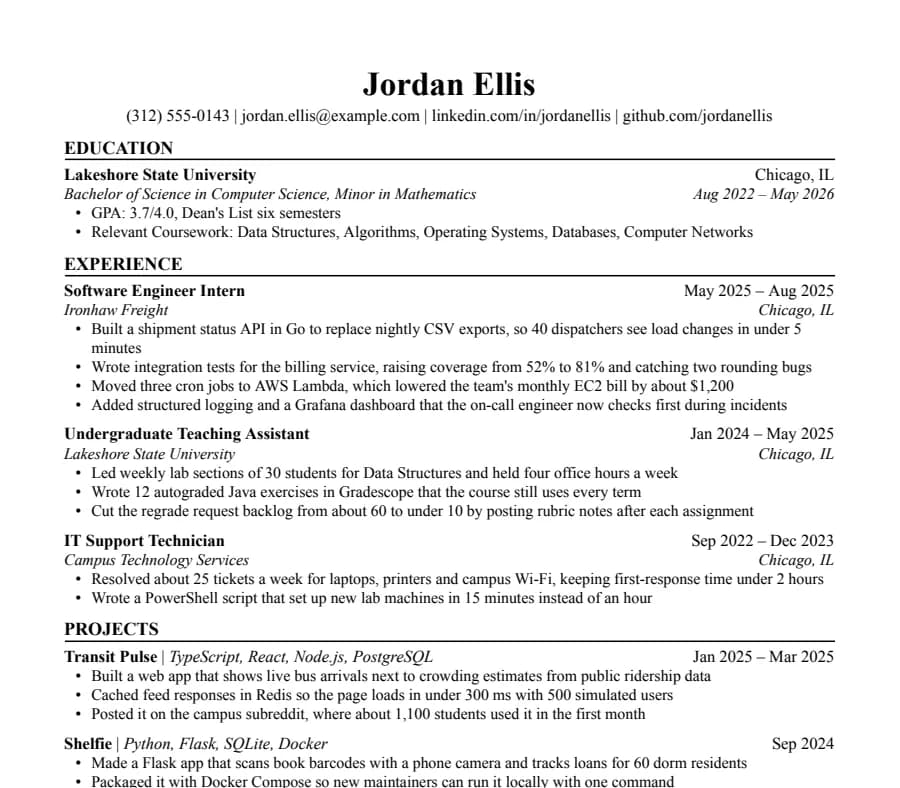
Jake's CV template
46/46 fields read
The Jake's Resume layout rebuilt for Google Docs and Word. Dense, centered, made for tech internships and new-grad roles.
- 1 page
- Letter + A4
- Docs + Word
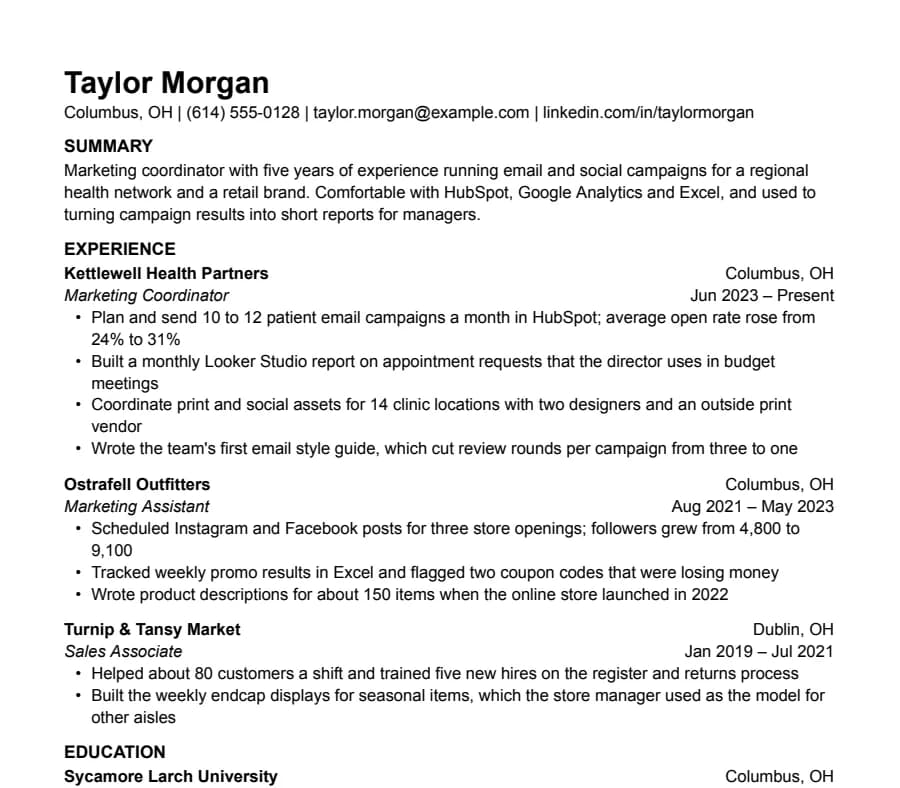
Plain CV template
33/33 fields read
Nothing but text, left-aligned, in Arial. A safe default for any job when you don't want the layout to be noticed.
- 1 page
- Letter + A4
- Docs + Word
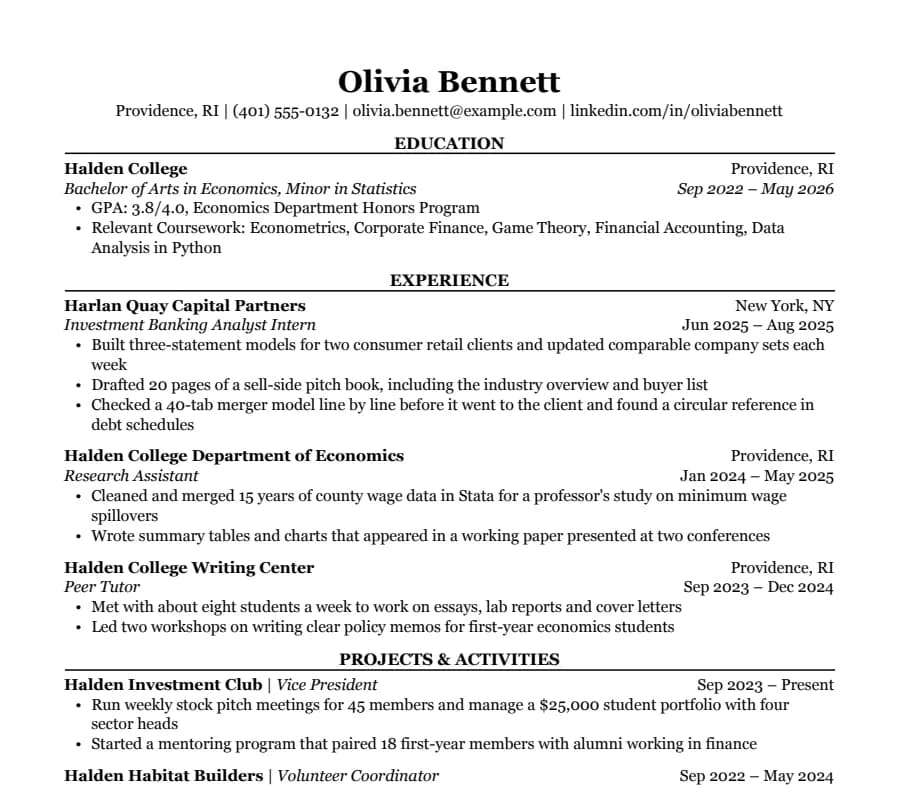
Classic CV template
38/38 fields read
Serif type, centered headings and education first. The look many university career offices recommend for finance, law and consulting.
- 1 page
- Letter + A4
- Docs + Word
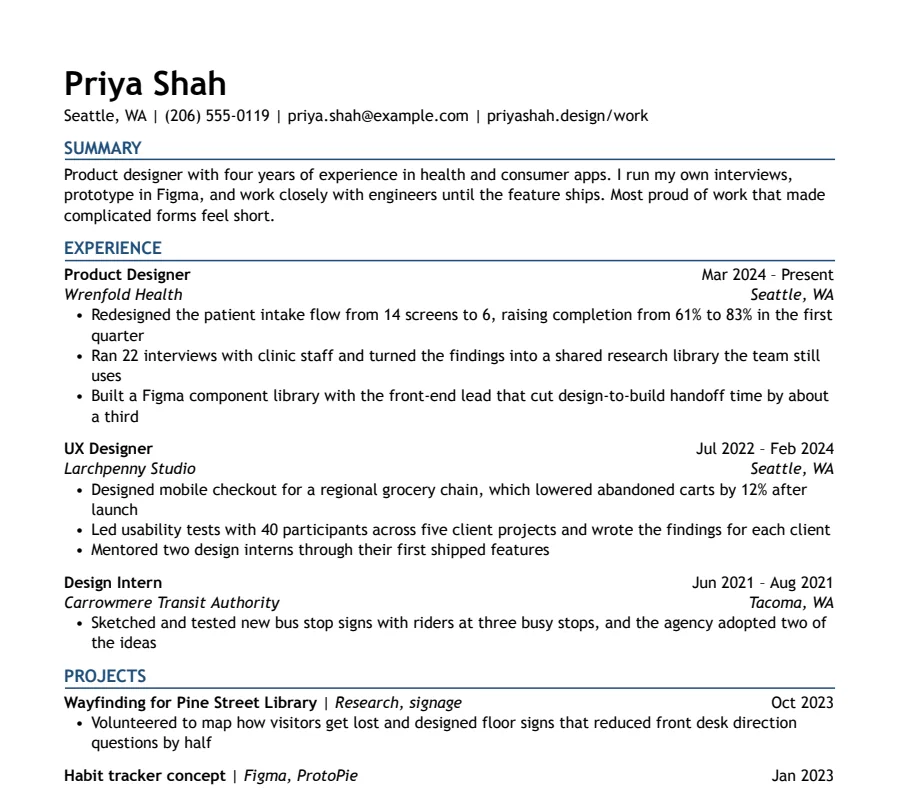
Modern Accent CV template
35/35 fields read
One ink-blue accent on headings and rules, with a summary up top. A plain one-column layout with a little more personality.
- 1 page
- Letter + A4
- Docs + Word
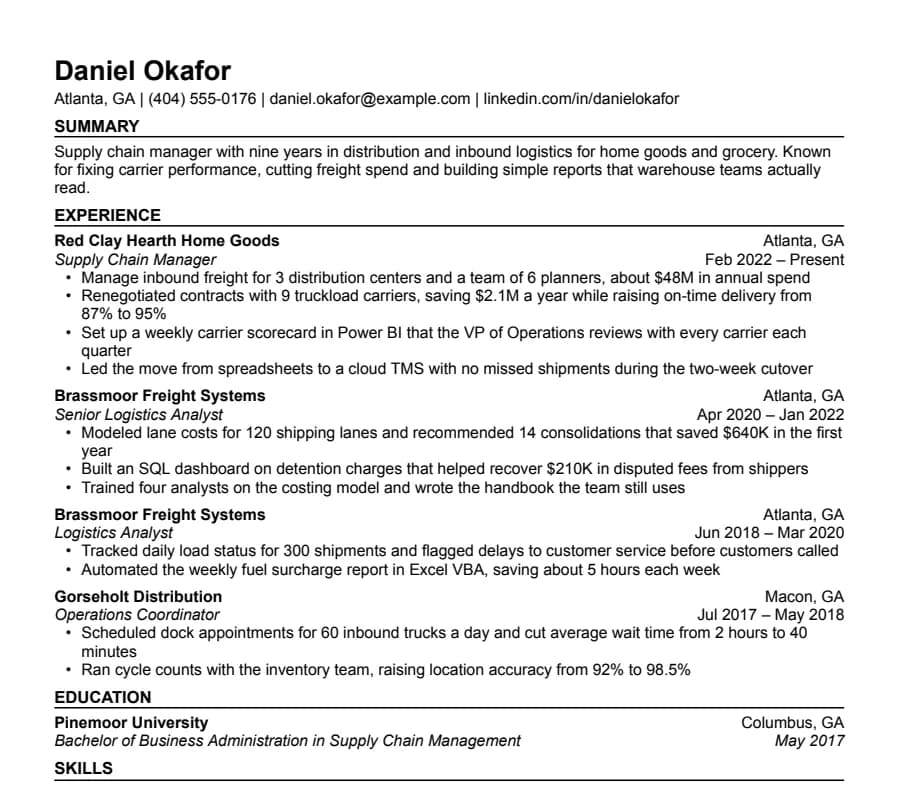
Compact CV template
36/36 fields read
Half-inch margins and tight spacing for people with more experience than one page normally holds.
- 1 page
- Letter + A4
- Docs + Word
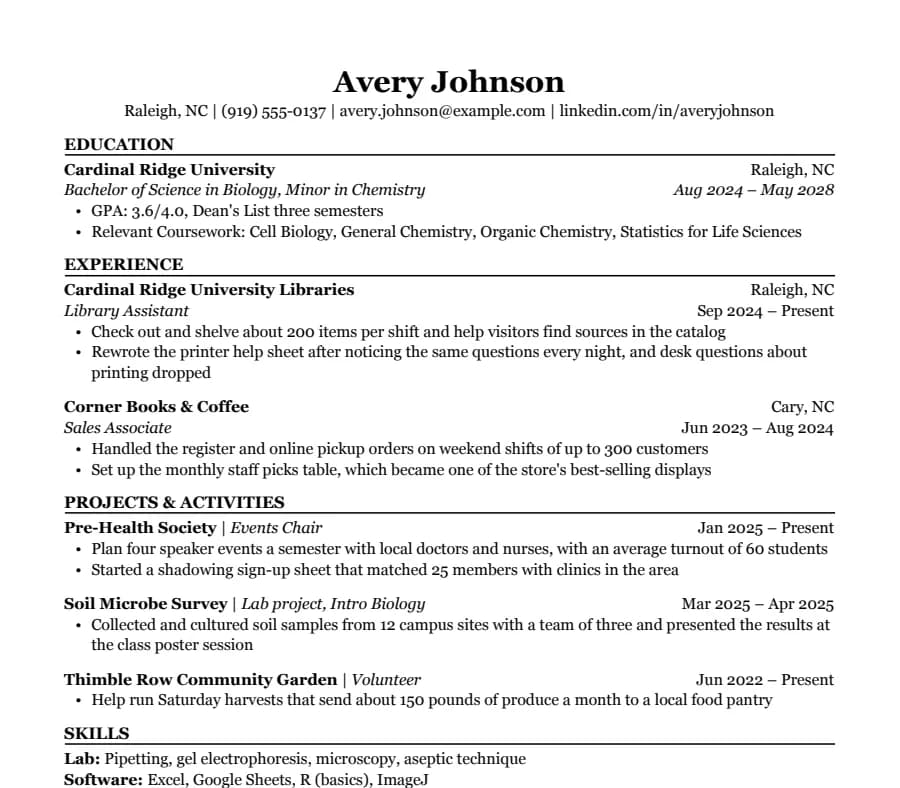
Student CV template
35/35 fields read
Education first, then part-time jobs and a section for clubs, volunteering and class projects. Made for a first internship.
- 1 page
- Letter + A4
- Docs + Word
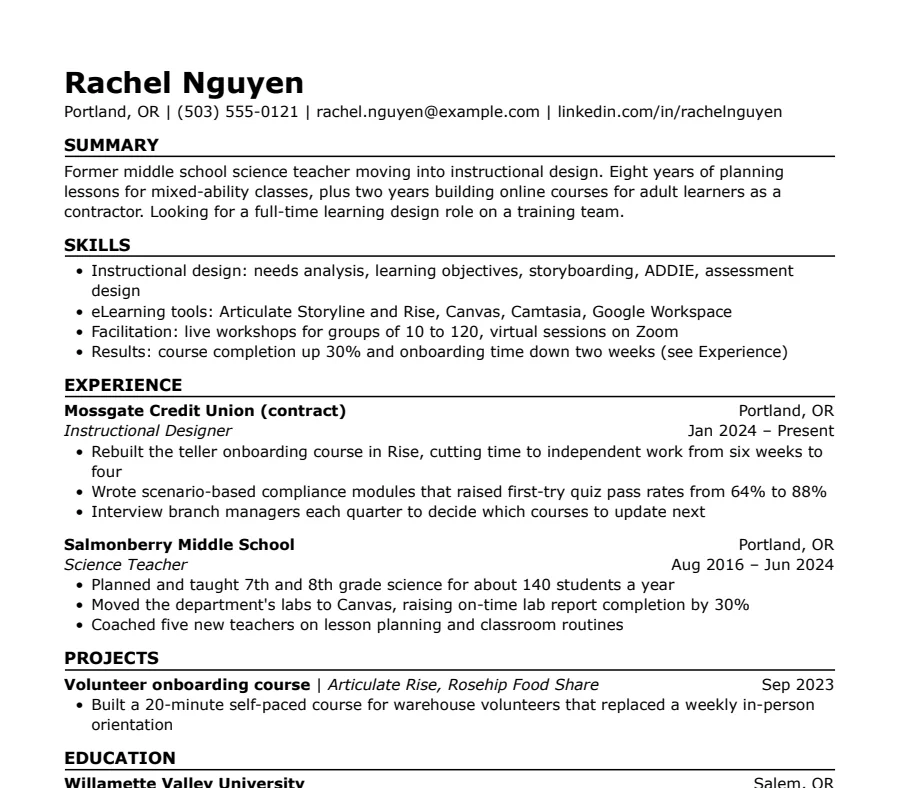
Skills-first CV template
33/33 fields read
Summary and skills come before work history. Useful when you're changing careers or coming back after a gap.
- 1 page
- Letter + A4
- Docs + Word
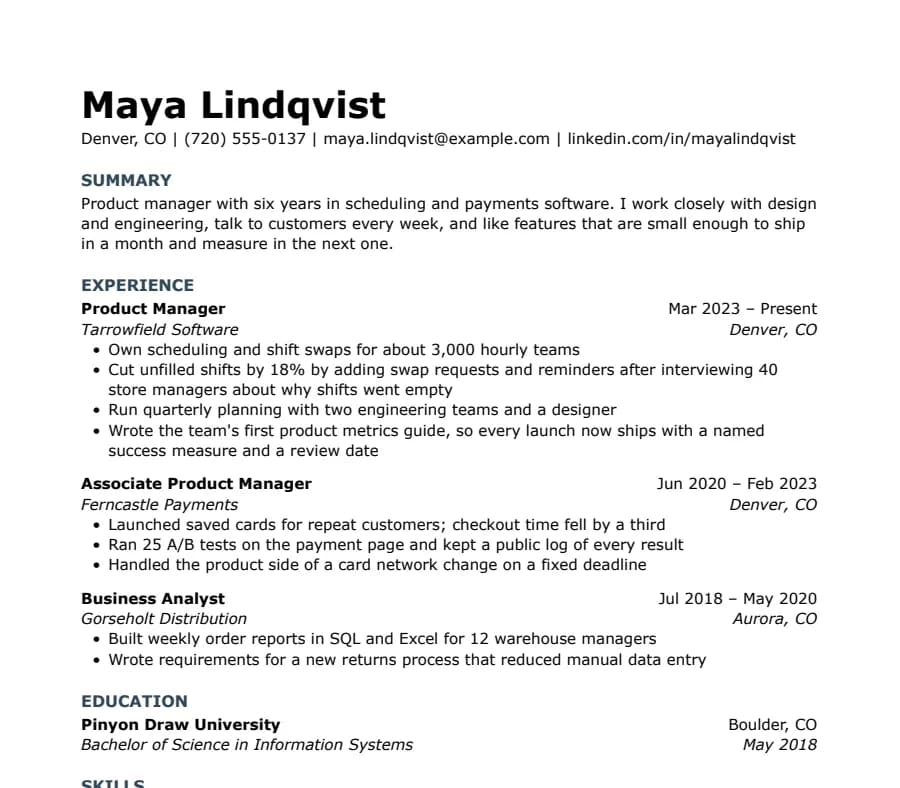
Modern Minimal CV template
31/31 fields read
No lines or boxes, just white space and quiet slate-blue headings. Looks modern without tables, columns or graphics.
- 1 page
- Letter + A4
- Docs + Word
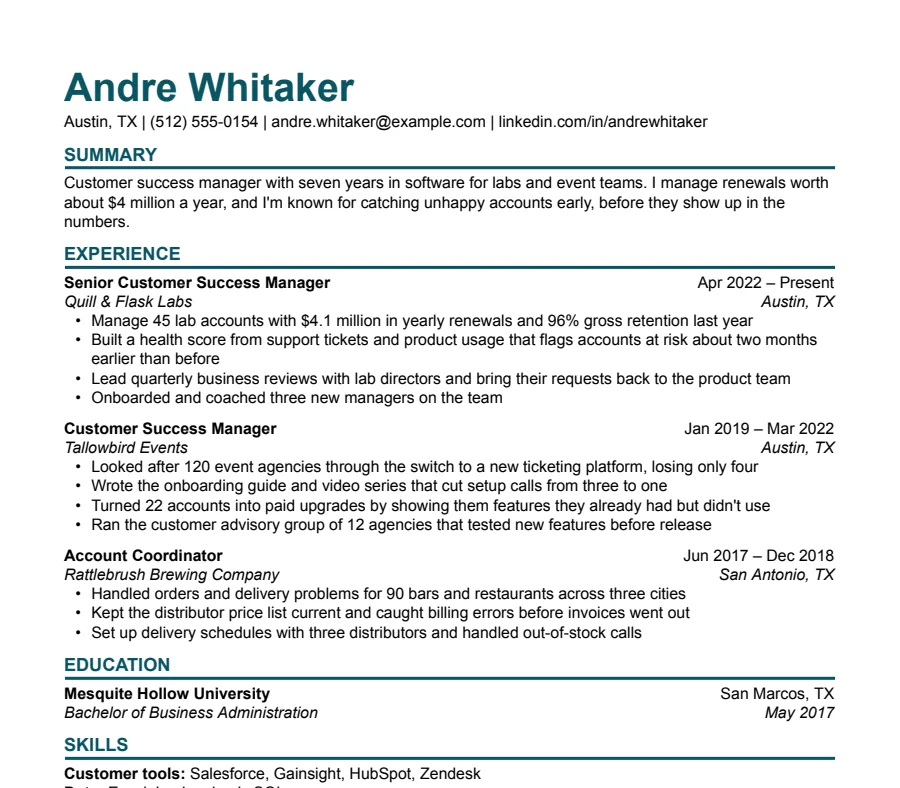
Modern Bold CV template
33/33 fields read
A large teal name and heavy rules under each heading. Stands out in a stack of printouts and still reads cleanly in software.
- 1 page
- Letter + A4
- Docs + Word
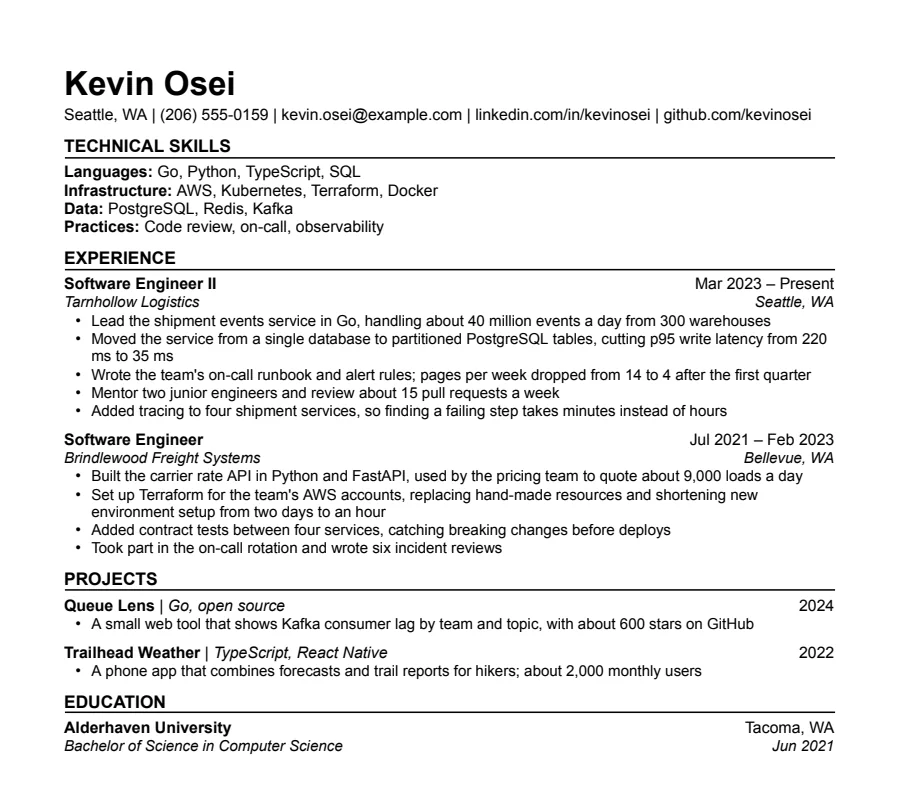
Technical CV template
35/35 fields read
Grouped technical skills first, then experience and projects with the numbers engineers look for. A sans-serif cousin of Jake's.
- 1 page
- Letter + A4
- Docs + Word
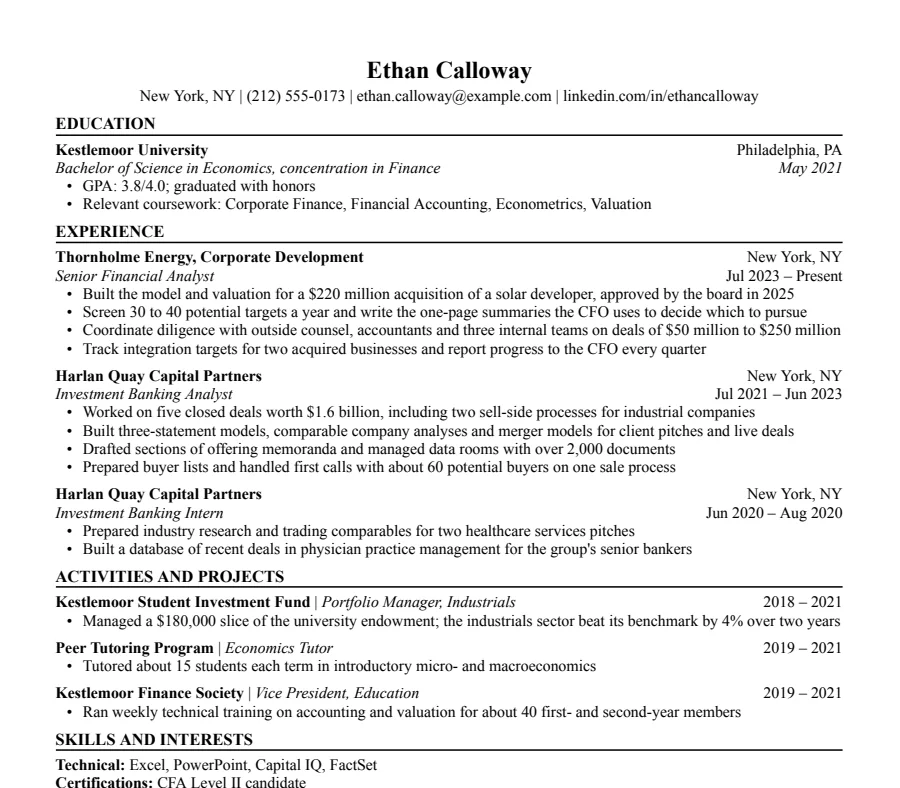
Finance CV template
44/44 fields read
The investment banking format: education and GPA first, half-inch margins, every line earning its place. For finance, banking and consulting.
- 1 page
- Letter + A4
- Docs + Word
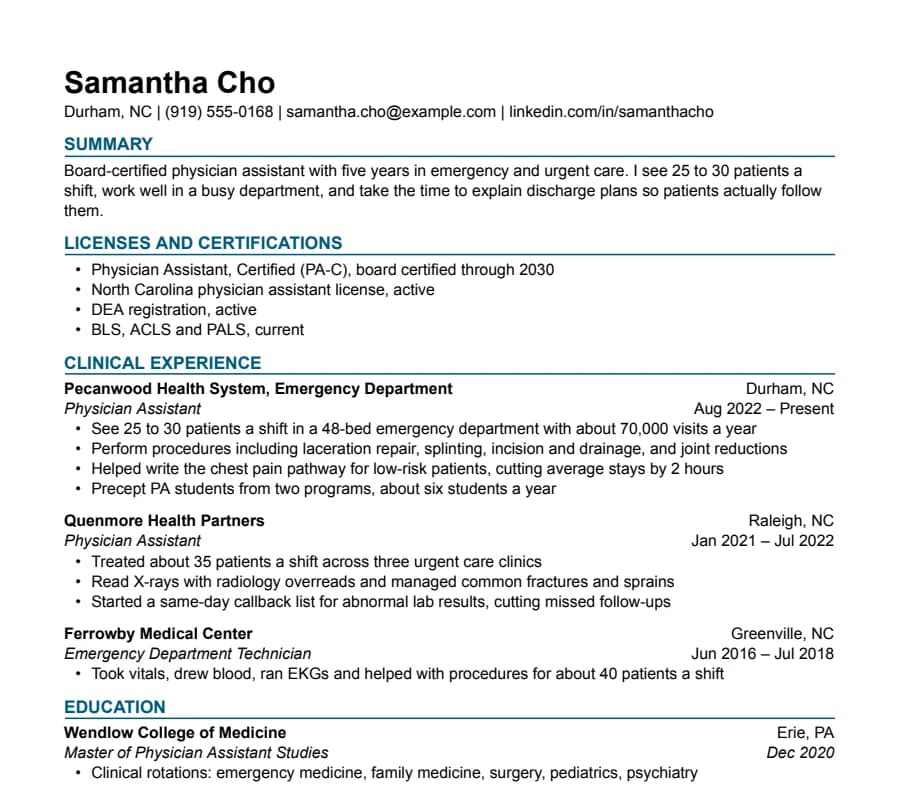
Healthcare CV template
35/35 fields read
Licenses and certifications sit right under your summary, where hiring managers look first. For PAs, nurses, therapists and techs.
- 1 page
- Letter + A4
- Docs + Word
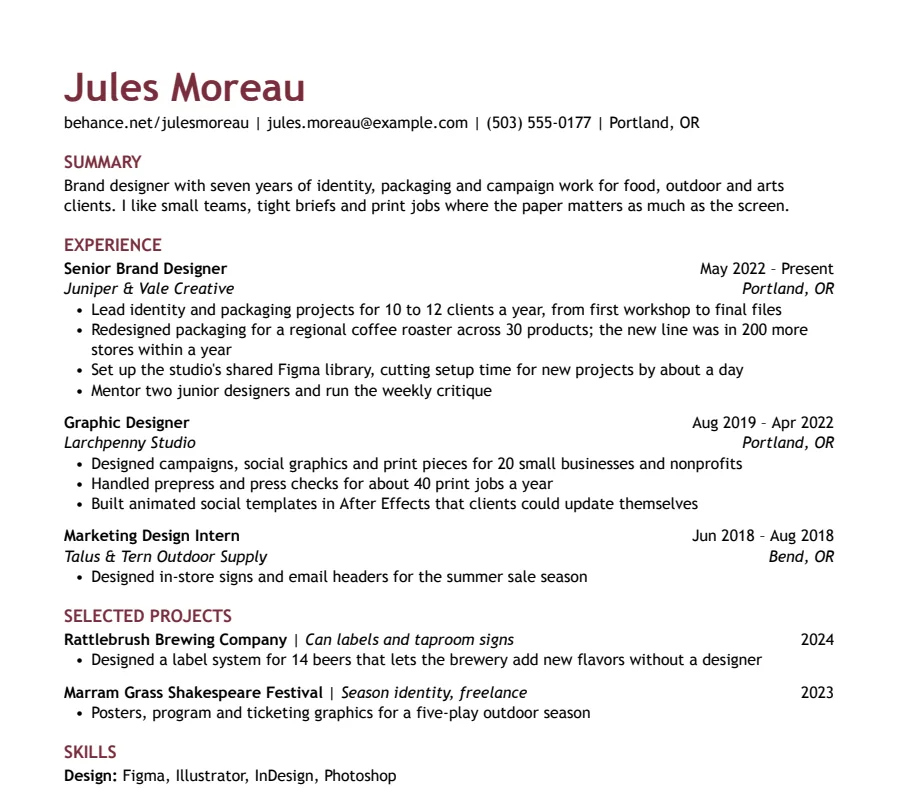
Creative CV template
36/36 fields read
Color in the name and headings, your portfolio link first, and a section for selected projects. Personality without columns or graphics.
- 1 page
- Letter + A4
- Docs + Word
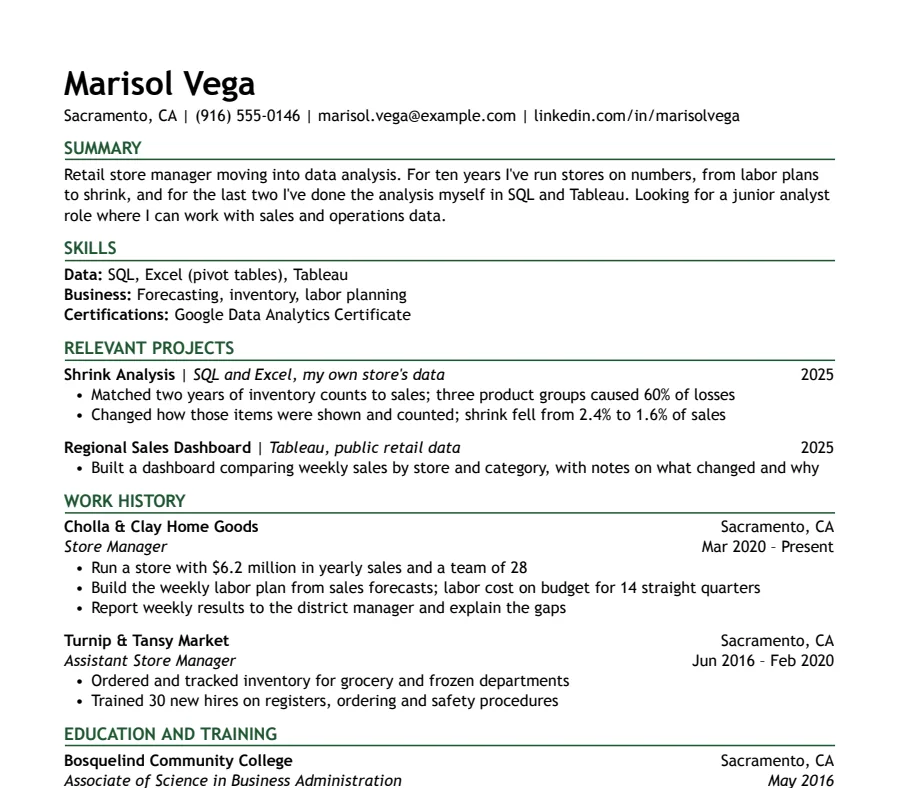
Career Change CV template
32/32 fields read
Summary, skills and relevant projects first, so the reader sees where you're going before where you've been.
- 1 page
- Letter + A4
- Docs + Word
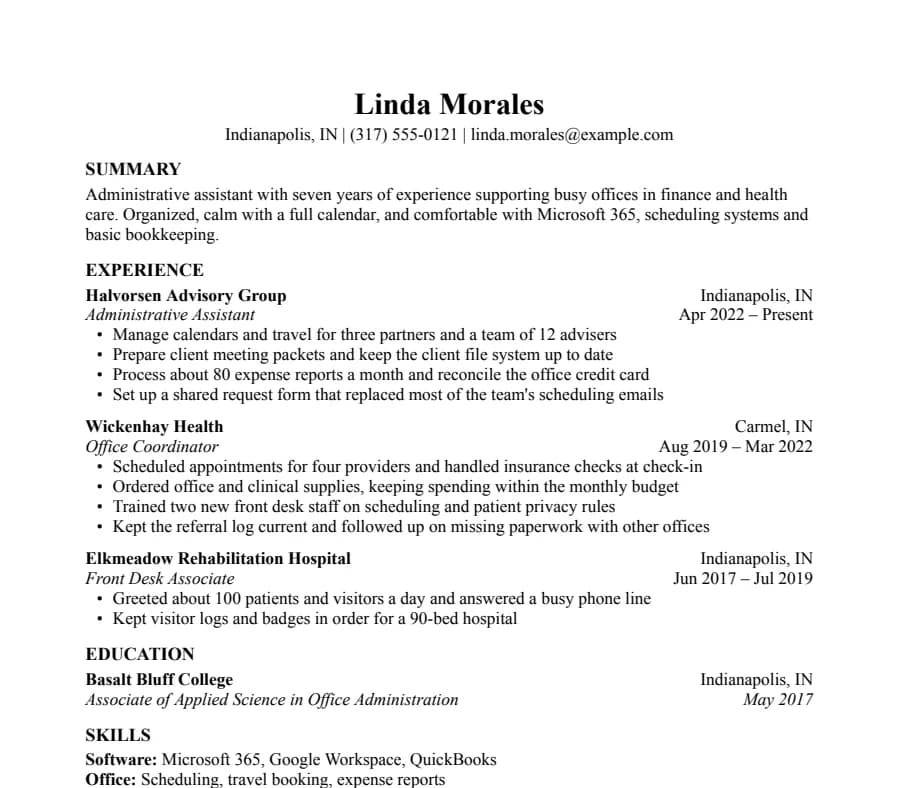
Basic CV template
33/33 fields read
The most traditional layout here: centered name, bold headings, Times New Roman and no lines. For any job where the content should do the talking.
- 1 page
- Letter + A4
- Docs + Word
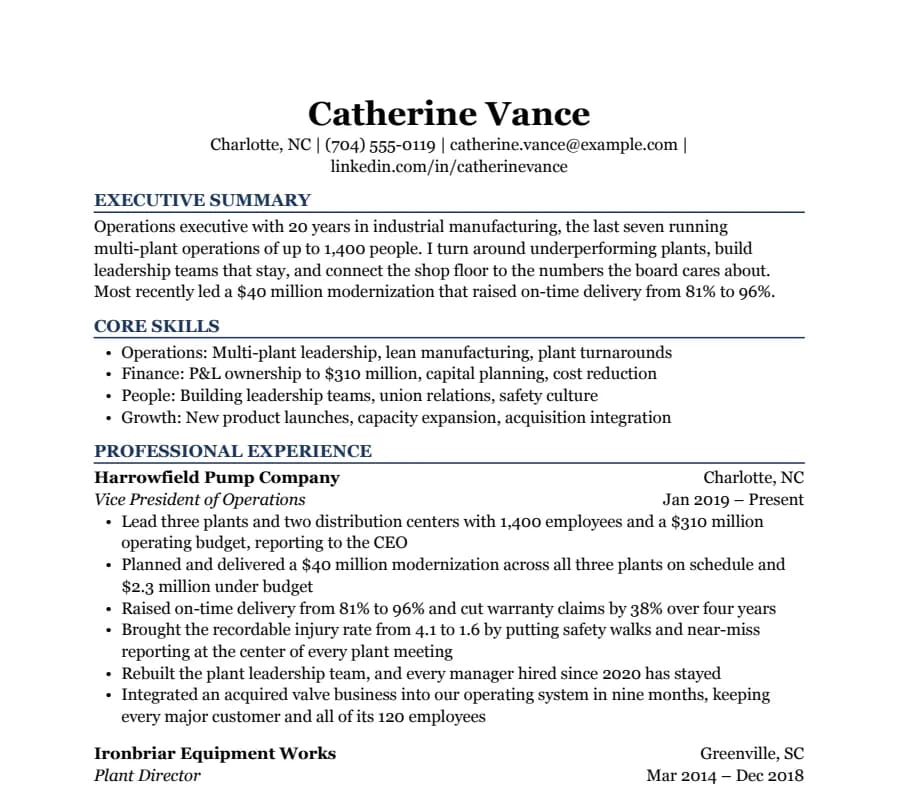
Executive CV template
53/53 fields read
Two pages for senior leaders: an executive summary, core skills, then each role written as results. Navy headings in Georgia.
- 2 pages
- Letter + A4
- Docs + Word
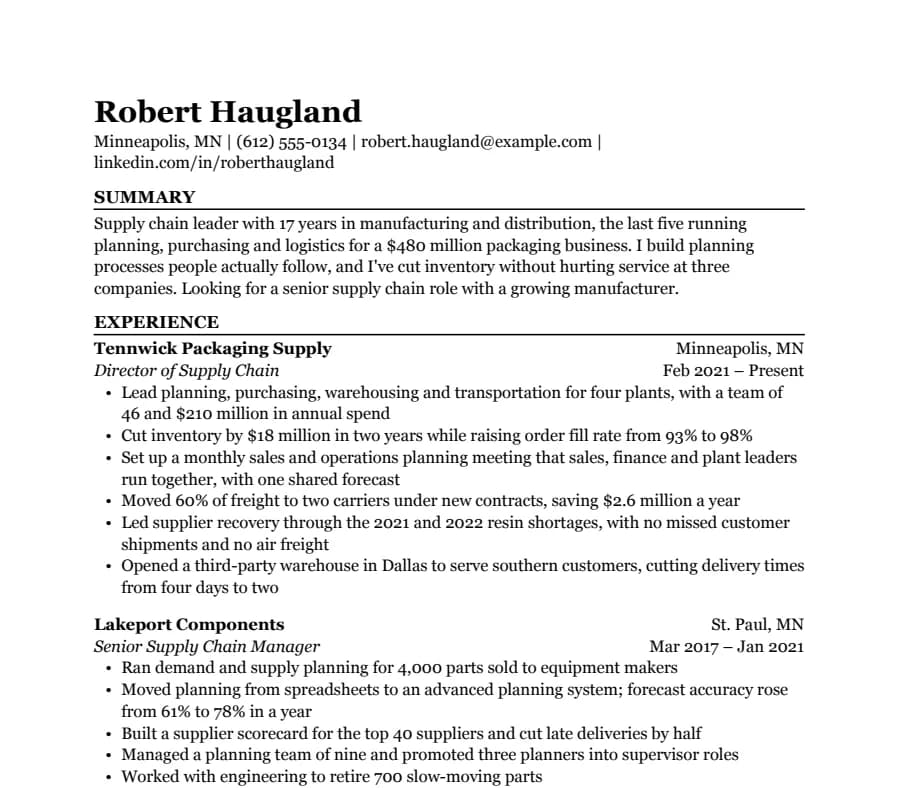
Two-page Professional CV template
59/59 fields read
For 10+ years of experience: recent roles in full, earlier jobs kept short, and a second page that looks planned rather than spilled over.
- 2 pages
- Letter + A4
- Docs + Word
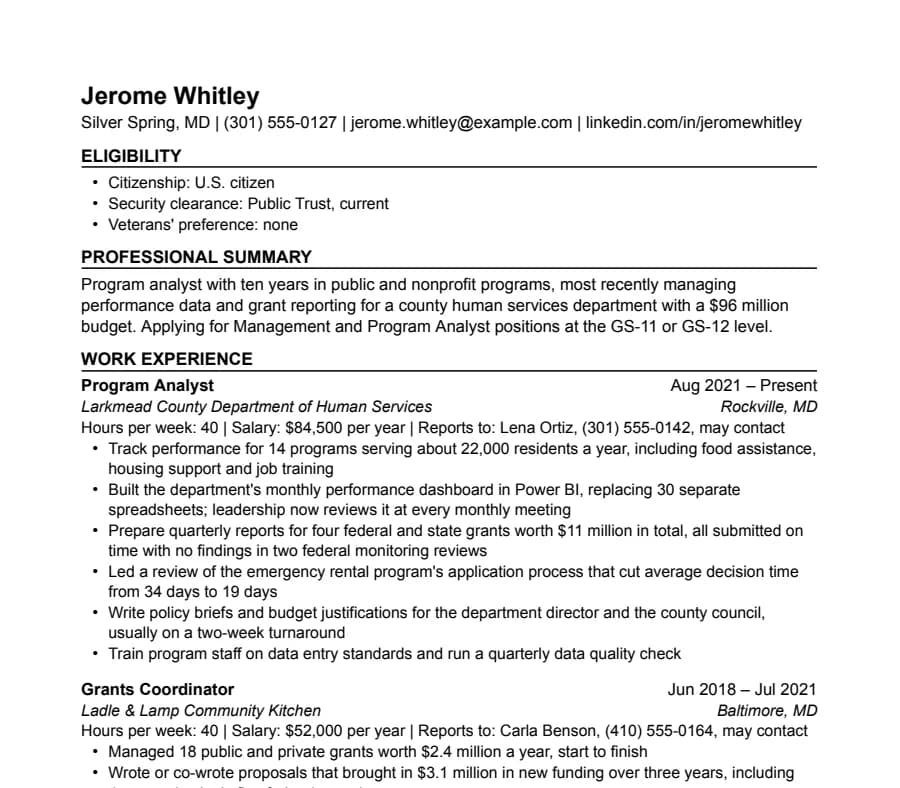
Federal CV template
47/47 fields read
For USAJOBS applications: each job lists hours, salary and who you reported to, with eligibility up front. Two pages.
- 2 pages
- Letter + A4
- Docs + Word
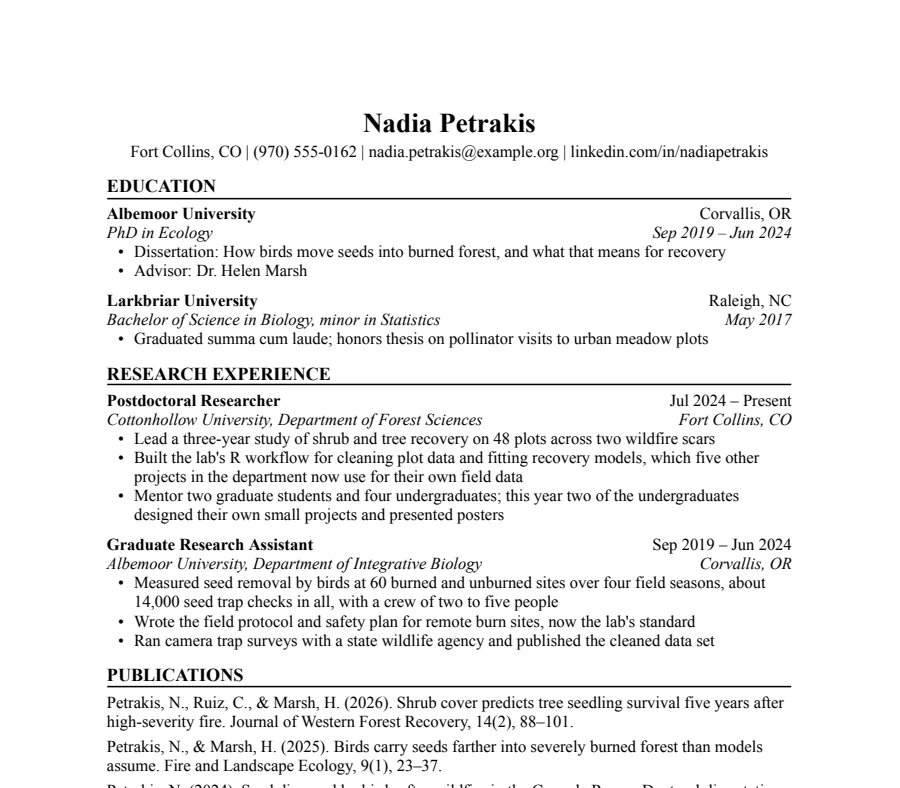
Academic CV template
32/32 fields read
For faculty, postdoc and PhD applications: education first, then research, publications, talks, teaching and grants. Starts at two pages and grows.
- 2+ pages
- Letter + A4
- Docs + Word
CV or resume?
In the UK, Ireland, Australia, New Zealand, India and much of Europe, “CV” is simply the word for the document you send with a job application. It's often two pages and opens with a short professional summary. In the US and Canada, a CV usually means a long academic record, and the job application document is a resume, normally one page.
So if you're applying outside North America, start with the International CV: A4, a summary at the top, and room for two pages, or read our UK CV template page for the UK conventions. If you want something tighter, any of the one-page templates works as a CV too. They all come in A4.
CV format: what goes where
A standard CV for a job outside North America runs in this order. The International CV is laid out this way, with an extra projects section you can delete.
- Name and contact line. Phone, email, town and country, and a LinkedIn or portfolio link if you have one. No full home address.
- Profile. Three or four lines on what you do, your strongest result and what you're looking for. Our summary guide has a formula and examples.
- Work experience. Most recent first. Job title, employer, town and dates on one line, then three to six bullets of what you achieved.
- Education. Degree, university and dates. Graduates can move this above work experience.
- Skills. Tools, languages and certifications, grouped on labeled lines.
Use clear headings like “Work experience” and “Education”, one column and a standard font. Recruiters scan for those headings, and so does recruitment software.
What to leave off
- Photo. Not expected in the UK, Ireland or North America. Some countries in mainland Europe still expect one, so check what's normal where you're applying.
- Date of birth, marital status, nationality. Not needed for most jobs. If a role requires the right to work in a country, a single line saying so is enough.
- Referees' contact details. Keep them off the CV. In the UK, the National Careers Service suggests a line saying references are available on request; in the US it's usually left off. Either way, keep the details ready on a separate references page.
A note on phone numbers and parsers
The open-source parser we test with is built around US-style phone numbers and “City, ST” locations. On the International CV we wrote the sample the way a UK applicant would (+44 phone, “Manchester, UK”), so those two fields are shown as outside the parser's rules instead of being counted. The text is still there for any person or system to read. How we test has the details.
Questions
- What is the best CV format?
- For most jobs, a reverse-chronological CV: profile, work experience with the most recent job first, education, then skills. Skills-based formats can help with a career change, but many recruiters find them harder to read.
- How long should a CV be?
- Two pages is normal in the UK for someone with a few years of experience. Graduates can usually fit one. Go beyond two only for academic or medical roles.
- Should my CV be A4?
- Yes, if you're applying in a country that uses A4. Recruiters there print and view in A4, and a Letter page looks slightly off. Use the paper switch on any template page.
- Does Google Docs have a CV template?
- Google Docs has a few in its own gallery. The ones here come with matching cover letters and references pages, in A4 and US Letter, and we publish what a parser reads from each sample.