Jake's Resume template for Google Docs™ and Word
The Jake's Resume template everyone in r/EngineeringResumes knows, without Overleaf. Edit it in Docs, export a .docx when a portal asks for Word.
- Parser read 46/46 fields
- 1 page
- US Letter and A4
- Google Docs and Word
- Times New Roman
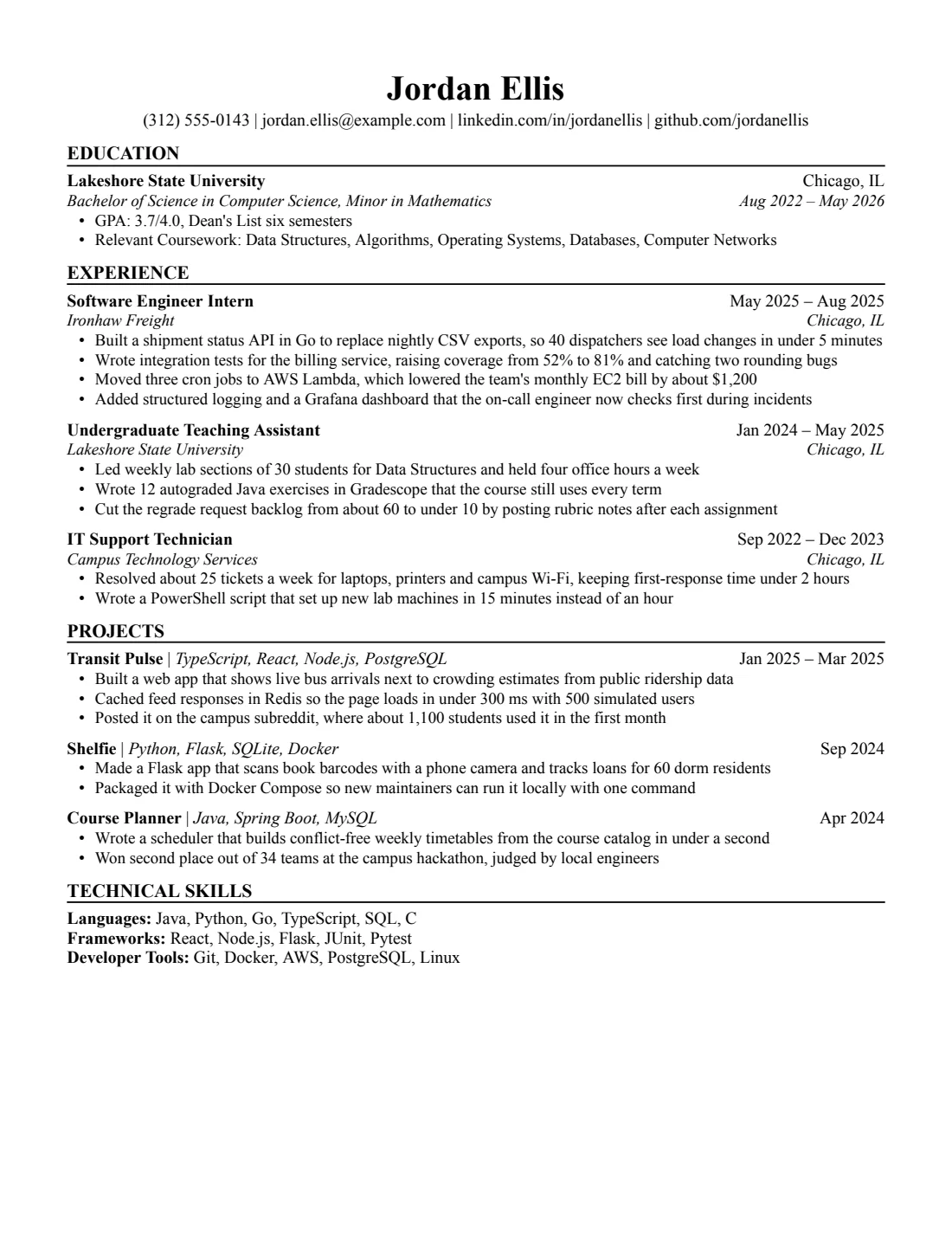
How the Jake's resume template reads in a parser
We exported our Jake's resume template from Google Docs as a PDF and read it with OpenResume, an open-source resume parser. All 46 fields came out right: contact details, the school, degree and GPA, three jobs with nine bullets, three projects with seven bullets, and three lines of technical skills. The A4 version read 46 out of 46.
46/46
fields read correctly from the resume (US Letter), downloaded from Google Docs as a PDF and read by the open-source OpenResume parser (commit 4f8255a) on Oct 3, 2026.
What the parser read
First 30 lines, exactly as extracted.
Jordan Ellis
(312) 555-0143 | jordan.ellis@example.com | linkedin.com/in/jordanellis | github.com/jordanellis
EDUCATION
Lakeshore State University    Chicago, IL
Bachelor of Science in Computer Science, Minor in Mathematics    Aug 2022 – May 2026
•    GPA: 3.7/4.0, Dean's List six semesters
•    Relevant Coursework: Data Structures, Algorithms, Operating Systems, Databases, Computer Networks
EXPERIENCE
Software Engineer Intern    May 2025 – Aug 2025
Ironhaw Freight    Chicago, IL
•    Built a shipment status API in Go to replace nightly CSV exports, so 40 dispatchers see load changes in under 5 minutes
•    Wrote integration tests for the billing service, raising coverage from 52% to 81% and catching two rounding bugs
•    Moved three cron jobs to AWS Lambda, which lowered the team's monthly EC2 bill by about $1,200
•    Added structured logging and a Grafana dashboard that the on-call engineer now checks first during incidents
Undergraduate Teaching Assistant    Jan 2024 – May 2025
Lakeshore State University    Chicago, IL
•    Led weekly lab sections of 30 students for Data Structures and held four office hours a week
•    Wrote 12 autograded Java exercises in Gradescope that the course still uses every term
•    Cut the regrade request backlog from about 60 to under 10 by posting rubric notes after each assignment
IT Support Technician    Sep 2022 – Dec 2023
Campus Technology Services    Chicago, IL
•    Resolved about 25 tickets a week for laptops, printers and campus Wi-Fi, keeping first-response time under 2 hours
•    Wrote a PowerShell script that set up new lab machines in 15 minutes instead of an hour
PROJECTS
Transit Pulse | TypeScript, React, Node.js, PostgreSQL    Jan 2025 – Mar 2025
•    Built a web app that shows live bus arrivals next to crowding estimates from public ridership data
•    Cached feed responses in Redis so the page loads in under 300 ms with 500 simulated users
•    Posted it on the campus subreddit, where about 1,100 students used it in the first month
Shelfie | Python, Flask, SQLite, Docker    Sep 2024
•    Made a Flask app that scans book barcodes with a phone camera and tracks loans for 60 dorm residents
Field by field
What we wrote, and what the parser put in each field.
| Field | Parser read | Match |
|---|---|---|
| Name | Jordan Ellis | |
| jordan.ellis@example.com | ||
| Phone | (312) 555-0143 | |
| Location | (empty) | |
| Link | linkedin.com/in/jordanellis | |
| Summary | (empty) | |
| Job 1 company | Ironhaw Freight | |
| Job 1 title | Software Engineer Intern | |
| Job 1 dates | May 2025 – Aug 2025 | |
| Job 1, bullet 1 | Built a shipment status API in Go to replace nightly CSV exports, so 40 dispatchers see load changes in under 5 minutes | |
| Job 1, bullet 2 | Wrote integration tests for the billing service, raising coverage from 52% to 81% and catching two rounding bugs | |
| Job 1, bullet 3 | Moved three cron jobs to AWS Lambda, which lowered the team's monthly EC2 bill by about $1,200 | |
| Job 1, bullet 4 | Added structured logging and a Grafana dashboard that the on-call engineer now checks first during incidents | |
| Job 2 company | Lakeshore State University | |
| Job 2 title | Undergraduate Teaching Assistant | |
| Job 2 dates | Jan 2024 – May 2025 | |
| Job 2, bullet 1 | Led weekly lab sections of 30 students for Data Structures and held four office hours a week | |
| Job 2, bullet 2 | Wrote 12 autograded Java exercises in Gradescope that the course still uses every term | |
| Job 2, bullet 3 | Cut the regrade request backlog from about 60 to under 10 by posting rubric notes after each assignment | |
| Job 3 company | Campus Technology Services | |
| Job 3 title | IT Support Technician | |
| Job 3 dates | Sep 2022 – Dec 2023 | |
| Job 3, bullet 1 | Resolved about 25 tickets a week for laptops, printers and campus Wi-Fi, keeping first-response time under 2 hours | |
| Job 3, bullet 2 | Wrote a PowerShell script that set up new lab machines in 15 minutes instead of an hour | |
| School 1 | Lakeshore State University | |
| School 1 degree | Bachelor of Science in Computer Science, Minor in Mathematics | |
| School 1 dates | Aug 2022 – May 2026 | |
| School 1 GPA | 3.7 | |
| School 1, bullet 1 | GPA: 3.7/4.0, Dean's List six semesters | |
| School 1, bullet 2 | Relevant Coursework: Data Structures, Algorithms, Operating Systems, Databases, Computer Networks | |
| Project 1 | Transit Pulse | TypeScript, React, Node.js, PostgreSQL | |
| Project 1 dates | Jan 2025 – Mar 2025 | |
| Project 1, bullet 1 | Built a web app that shows live bus arrivals next to crowding estimates from public ridership data | |
| Project 1, bullet 2 | Cached feed responses in Redis so the page loads in under 300 ms with 500 simulated users | |
| Project 1, bullet 3 | Posted it on the campus subreddit, where about 1,100 students used it in the first month | |
| Project 2 | Shelfie | Python, Flask, SQLite, Docker | |
| Project 2 dates | Sep 2024 | |
| Project 2, bullet 1 | Made a Flask app that scans book barcodes with a phone camera and tracks loans for 60 dorm residents | |
| Project 2, bullet 2 | Packaged it with Docker Compose so new maintainers can run it locally with one command | |
| Project 3 | Course Planner | Java, Spring Boot, MySQL | |
| Project 3 dates | Apr 2024 | |
| Project 3, bullet 1 | Wrote a scheduler that builds conflict-free weekly timetables from the course catalog in under a second | |
| Project 3, bullet 2 | Won second place out of 34 teams at the campus hackathon, judged by local engineers | |
| Skills line 1 | Languages: Java, Python, Go, TypeScript, SQL, C | |
| Skills line 2 | Frameworks: React, Node.js, Flask, JUnit, Pytest | |
| Skills line 3 | Developer Tools: Git, Docker, AWS, PostgreSQL, Linux |
Shown but not counted
- github.com/jordanellis: parser keeps one URL. It's in the extracted text.
- Chicago, IL: no location field for schools. It's in the extracted text.
- Chicago, IL: no location field for jobs. It's in the extracted text.
- Chicago, IL: no location field for jobs. It's in the extracted text.
- Chicago, IL: no location field for jobs. It's in the extracted text.
This checks our sample text, read by one open-source parser from the PDF that Google Docs' File > Download > PDF produces. It isn't a score, and it doesn't tell you how Workday, Greenhouse or any other hiring system will read your own resume. Anyone can rerun it: the test repository has the PDF (SHA-256 215c0ceec101…), the expected values and the raw results. How we test. You can run the same parser on your own PDF.
What it doesn't pick up
Like the original, the contact line carries two links, LinkedIn and GitHub. The parser keeps one link, so GitHub comes through as text but not as a second link field. A recruiter reading the PDF still sees both.
The original also leaves the city out of the contact line, and so does ours. If you add one, write it as “Chicago, IL”: the parser recognizes a town followed by a two-letter state. Towns next to jobs and the school have no field at all; they stay in the text.
Three things the parser leans on
- The full school name. It finds your school by words like University, College or Institute. “Georgia Institute of Technology” works; “Georgia Tech” on its own doesn't.
- The GPA as a number. It looks for something like 3.7. “GPA: 3.7/4.0” is fine.
- Bold project names. Each project name is bold, and the parser uses that to tell the name from the tools listed after it. Keep the bold when you type over ours.
Keep the section names
The parser spots a heading because it's bold and in capitals, then sorts it by the words in it. TECHNICAL SKILLS works because it contains the word skill. Rename it TECH STACK and the parser won't find your skills. The same goes for PROJECTS and EXPERIENCE: keep them in capitals, with the word the parser is looking for.
Is Jake's the right one?
It's built for tech internships and new-grad roles, up to about three years in. For a non-tech job with the same education-first order, Classic sets it in Georgia with room for activities. For a first internship with more clubs than jobs, Student is less dense.
Jake's Resume template: differences from the LaTeX original
| Aspect | LaTeX original | This version |
|---|---|---|
| Editor | Overleaf or a local TeX install | Google Docs or Microsoft Word |
| Font | Computer Modern | Times New Roman, the closest font that Docs and Word both have |
| Output | PDF only | PDF, .docx, or the Google Doc itself |
| Layout | Centered name, ruled section headings, dates on the right | The same, built with paragraph borders and right tab stops instead of tables |
| Section names | Education, Experience, Projects, Technical Skills | The same |
The visible differences are the font and the section headings, which use plain capitals instead of small caps. Computer Modern isn't available in Docs or installed with Word, so a .docx using it would fall back to something else on a recruiter's machine. Times New Roman keeps the serif look and comes with Docs, Windows and macOS.
Moving your resume from Overleaf to Google Docs
- Copy the template above to Google Docs.
- In Overleaf, open the PDF preview and copy one section at a time. Copying from the PDF gives you clean text without LaTeX commands.
- In the Doc, select the sample text you're replacing and paste with Edit > Paste without formatting (Ctrl+Shift+V, or Cmd+Shift+V on a Mac). That keeps our fonts and spacing.
- For each job heading, put the date after a single Tab. It will jump to the right margin on its own.
- Delete any sample bullets you didn't replace, then check that you're still on one page.
Coming from a different Overleaf template, like Deedy or Awesome CV? See LaTeX resume templates in Google Docs for the closest match.
Credit
Jake's Resume was made by Jake Gutierrez and published under the MIT license (github.com/jakegut/resume), based on sb2nov/resume. Our version is rebuilt from scratch in Google Docs and contains none of the original LaTeX code. It is not affiliated with or endorsed by its author.
Jake's resume template specs
Plus editing tips that keep the layout intact.
Specs
- Font
- Times New Roman, installed on Windows and macOS, so Word won't swap it
- Body text
- 11 pt, bullets 10.5 pt
- Margins
- 0.6 in (Letter), 15 mm (A4)
- Length
- 1 page with the sample content
- Sections
- Education, Experience, Projects, Technical Skills
- Good for
- Students and 0–3 years
- Layout
- One column, no tables, text boxes, images or icons. Dates aligned with a right tab stop.
Editing tips
- Dates stay on the right by themselves. Each heading line has a right-aligned tab stop. Press Tab before the date instead of adding spaces.
- Add a job by copying one. Select a whole entry, heading lines and bullets, copy it and paste it below. The spacing comes with it.
- Ran onto a second page? Cut a weak bullet first. Then set margins to 0.5 in, body text to 10.5 pt if it's larger, and line spacing to single. More ways to fit one page
- Rename your copy. Recruiters see the file name, so use something like Firstname-Lastname-Resume.
Exporting your finished resume
Two downloads from Google Docs cover almost every application.
File > Download > PDF Document. This is the exact path we test on every release. It gives selectable text with the fonts embedded.
Word
File > Download > Microsoft Word (.docx). Our own .docx files are exported this way, and we check that text and bullets survive. Don't convert a PDF to Word.
Similar resume templates
Same rules, a different look.
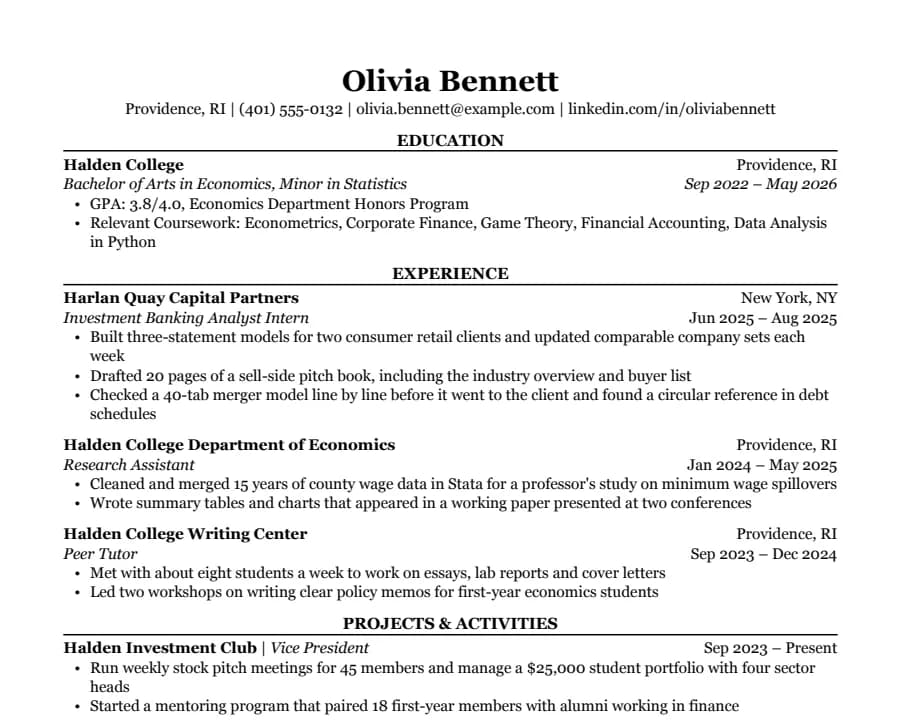
Classic resume template
38/38 fields read
Serif type, centered headings and education first. The look many university career offices recommend for finance, law and consulting.
- 1 page
- Letter + A4
- Docs + Word
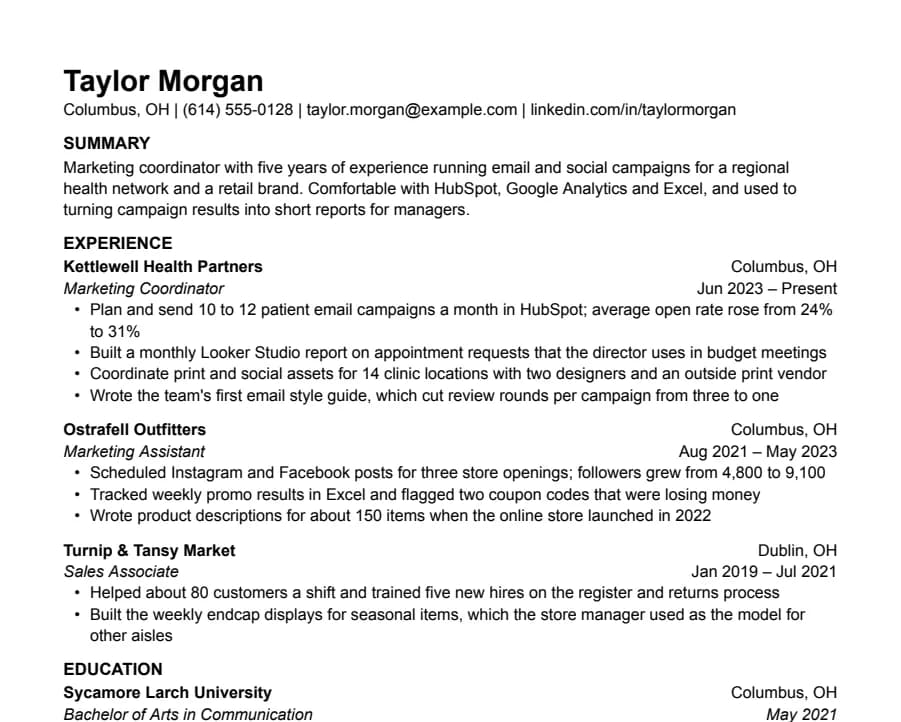
Plain resume template
33/33 fields read
Nothing but text, left-aligned, in Arial. A safe default for any job when you don't want the layout to be noticed.
- 1 page
- Letter + A4
- Docs + Word
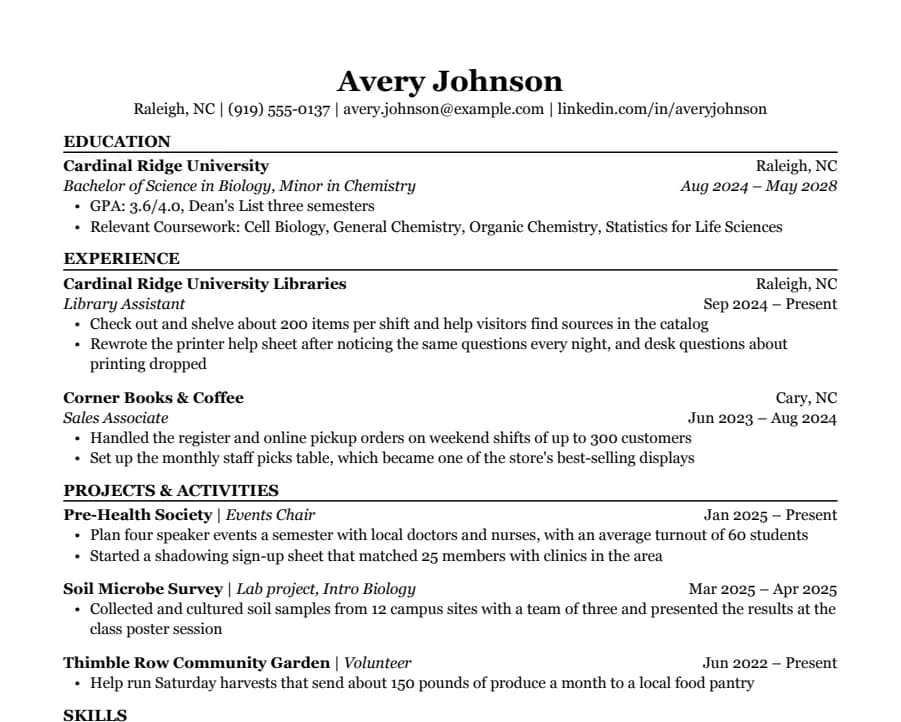
Student resume template
35/35 fields read
Education first, then part-time jobs and a section for clubs, volunteering and class projects. Made for a first internship.
- 1 page
- Letter + A4
- Docs + Word
Questions
- Is Jake's Resume available in Google Docs?
- Not officially. The original is a LaTeX template. This page has a Docs version with the same structure that you can copy to your Drive, plus a .docx for Word.
- Will Workday read it correctly?
- We can't test Workday, so we won't claim it. We can show that the open-source OpenResume parser reads every field we score on our sample from the PDF Google Docs produces. Job locations and the second link are shown but not scored, because the parser has no place for them. The result is above. How we test
- Can I keep it to one page?
- Yes. The sample leaves room for one more bullet per job. If you run over, set margins to 0.5 in, body text to 10.5 pt and line spacing to single.
- Is this version the same as the original?
- The structure, order and spacing are the same. The font is Times New Roman instead of Computer Modern, and the headings use plain capitals instead of small caps.
- Can my name have accents or non-Latin characters?
- Yes, with one caveat. In our tests on Plain (Arial) and Jake's (Times New Roman), the parser read José Álvarez and Иван Петров correctly, and the layout didn't move. A Chinese name like 王小明 also kept the page intact, but Google Docs swaps in a Japanese font for those characters and the parser left the name field empty. For US applications, put the romanized name first, like Xiaoming Wang (王小明). Phone numbers outside the US format, like +44 7700 900123, aren't picked up as phone numbers either.