References page template and example for Google Docs™
A separate page for your references, in the same style as your resume.
Templates
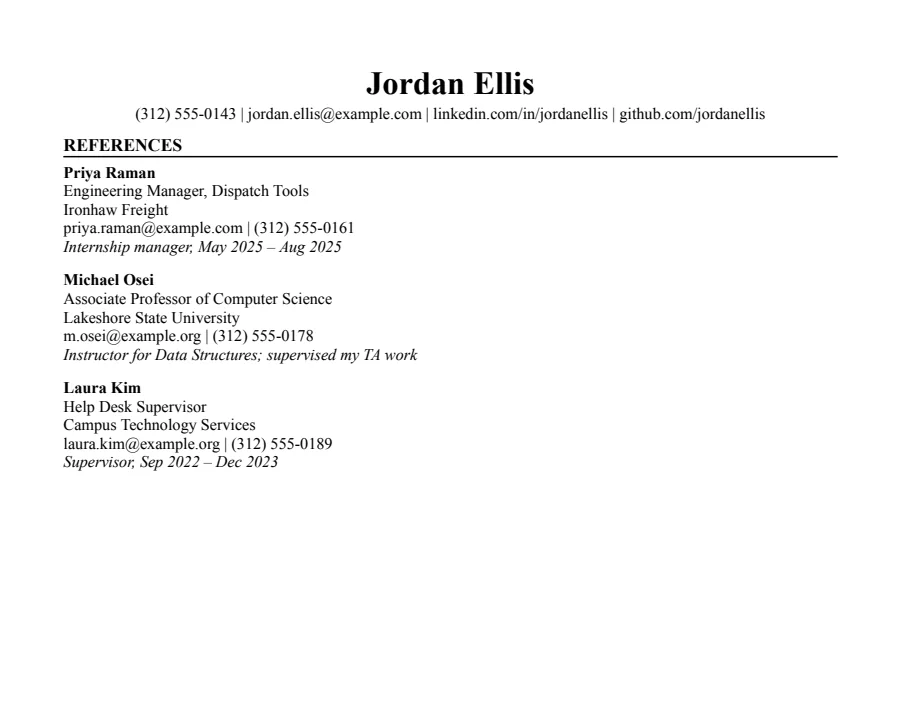
Jake's references template
Text reads cleanly
The Jake's Resume layout rebuilt for Google Docs and Word. Dense, centered, made for tech internships and new-grad roles.
- 1 page
- Letter + A4
- Docs + Word
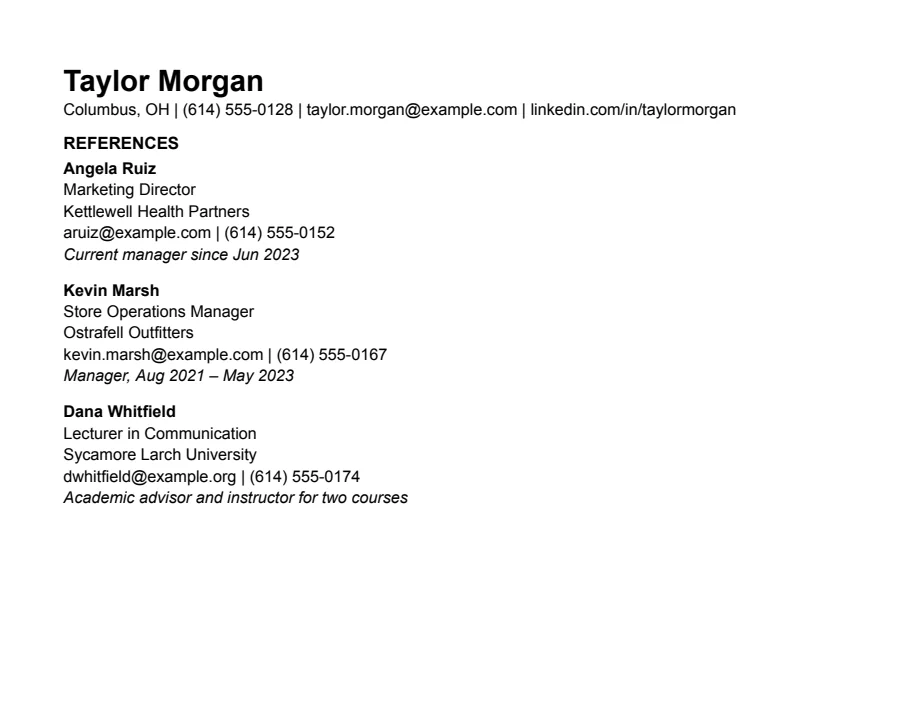
Plain references template
Text reads cleanly
Nothing but text, left-aligned, in Arial. A safe default for any job when you don't want the layout to be noticed.
- 1 page
- Letter + A4
- Docs + Word
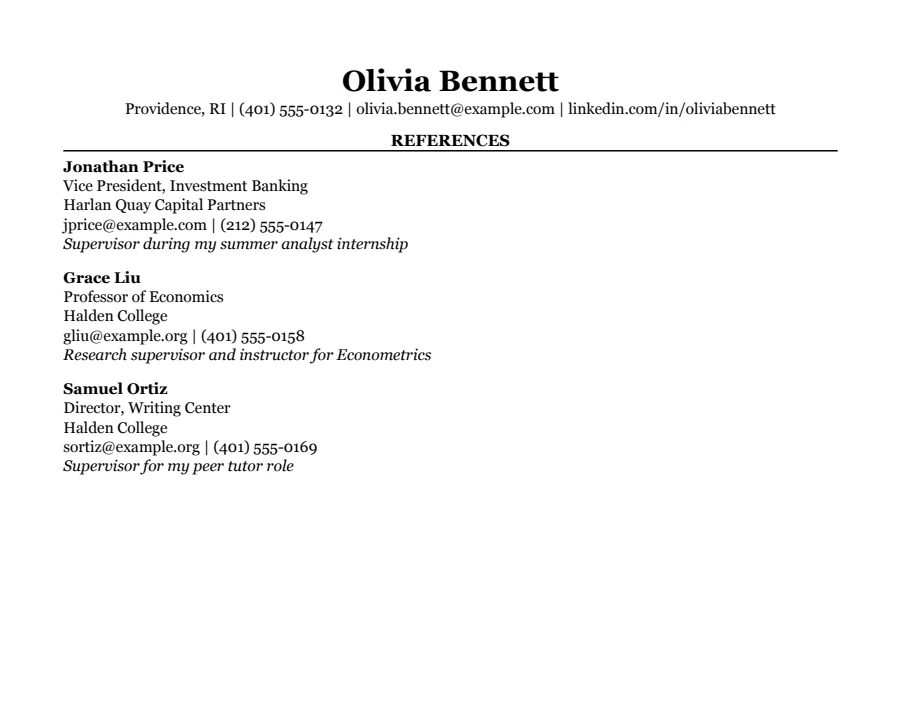
Classic references template
Text reads cleanly
Serif type, centered headings and education first. The look many university career offices recommend for finance, law and consulting.
- 1 page
- Letter + A4
- Docs + Word
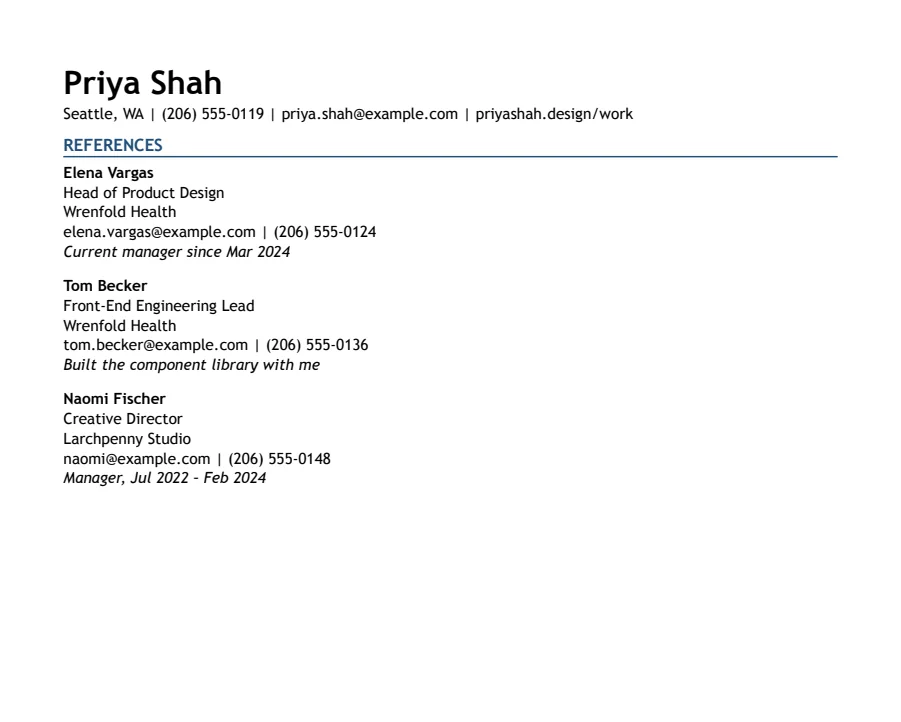
Modern Accent references template
Text reads cleanly
One ink-blue accent on headings and rules, with a summary up top. A plain one-column layout with a little more personality.
- 1 page
- Letter + A4
- Docs + Word
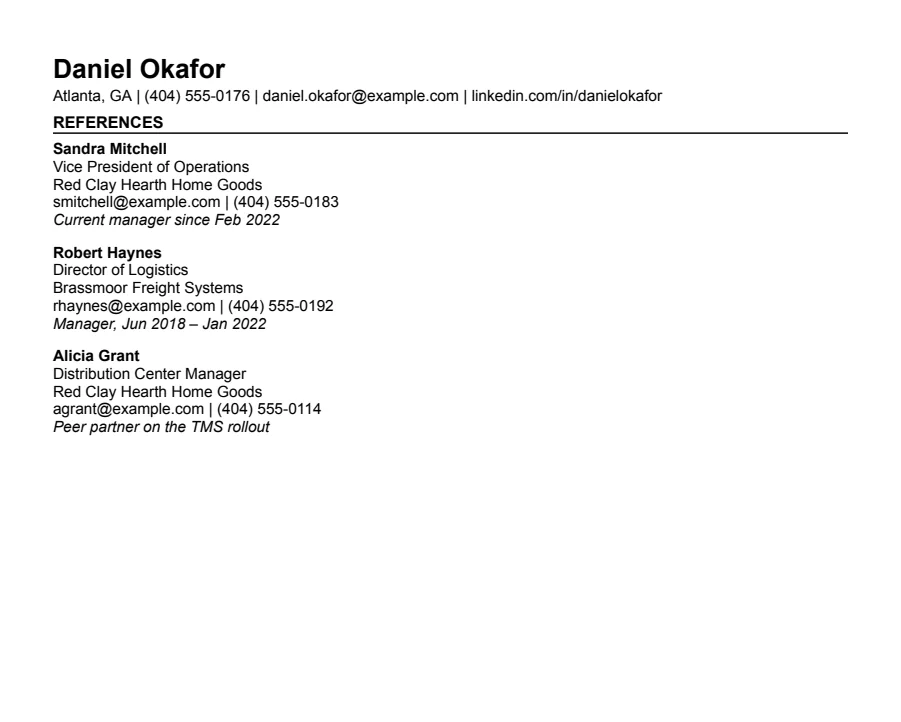
Compact references template
Text reads cleanly
Half-inch margins and tight spacing for people with more experience than one page normally holds.
- 1 page
- Letter + A4
- Docs + Word
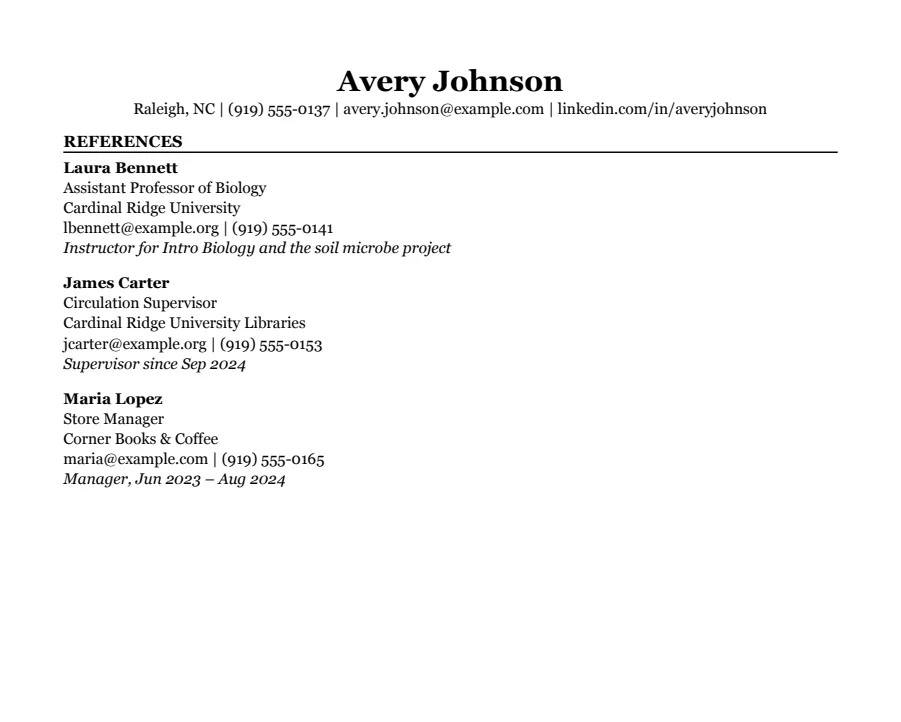
Student references template
Text reads cleanly
Education first, then part-time jobs and a section for clubs, volunteering and class projects. Made for a first internship.
- 1 page
- Letter + A4
- Docs + Word
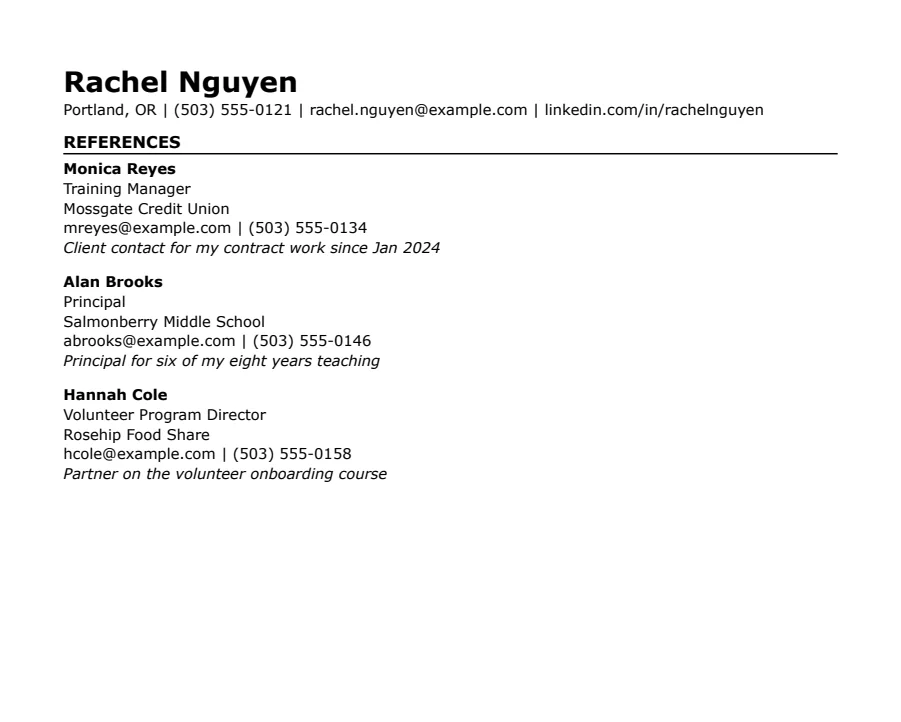
Skills-first references template
Text reads cleanly
Summary and skills come before work history. Useful when you're changing careers or coming back after a gap.
- 1 page
- Letter + A4
- Docs + Word
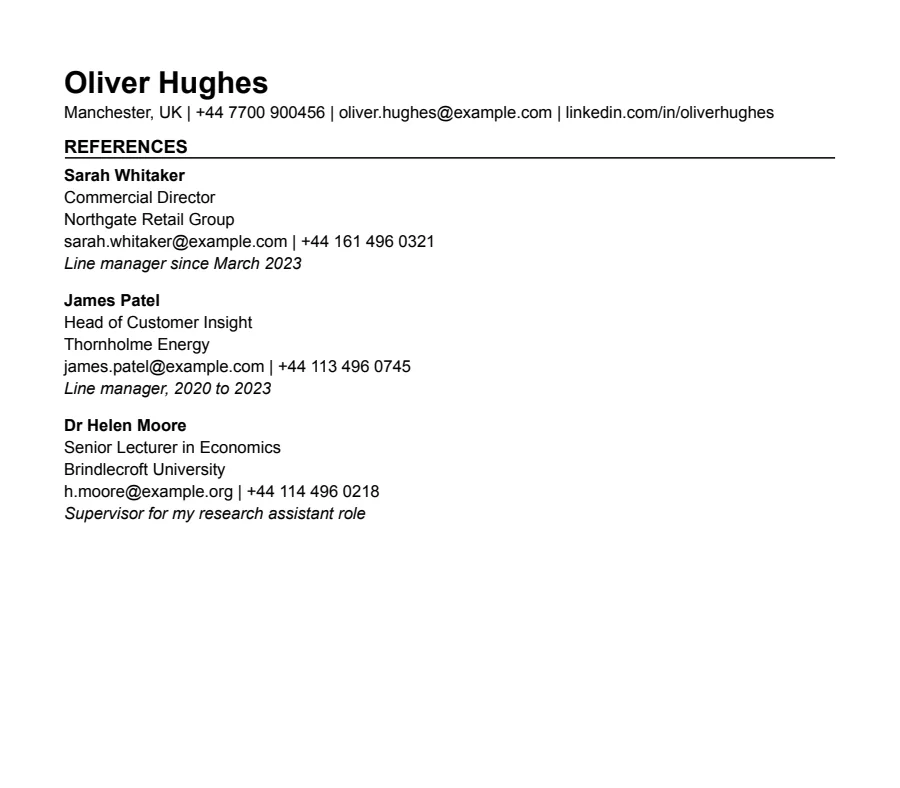
International CV references template
Text reads cleanly
A4, no photo, a professional summary at the top and room for two pages, the way UK employers expect a CV.
- 1 page
- Letter + A4
- Docs + Word
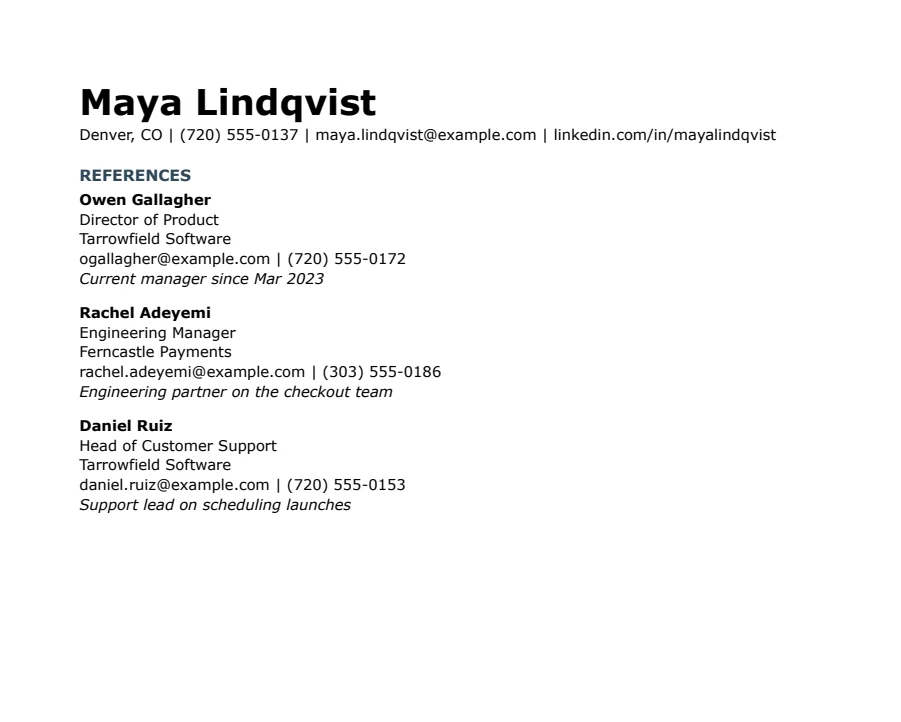
Modern Minimal references template
Text reads cleanly
No lines or boxes, just white space and quiet slate-blue headings. Looks modern without tables, columns or graphics.
- 1 page
- Letter + A4
- Docs + Word
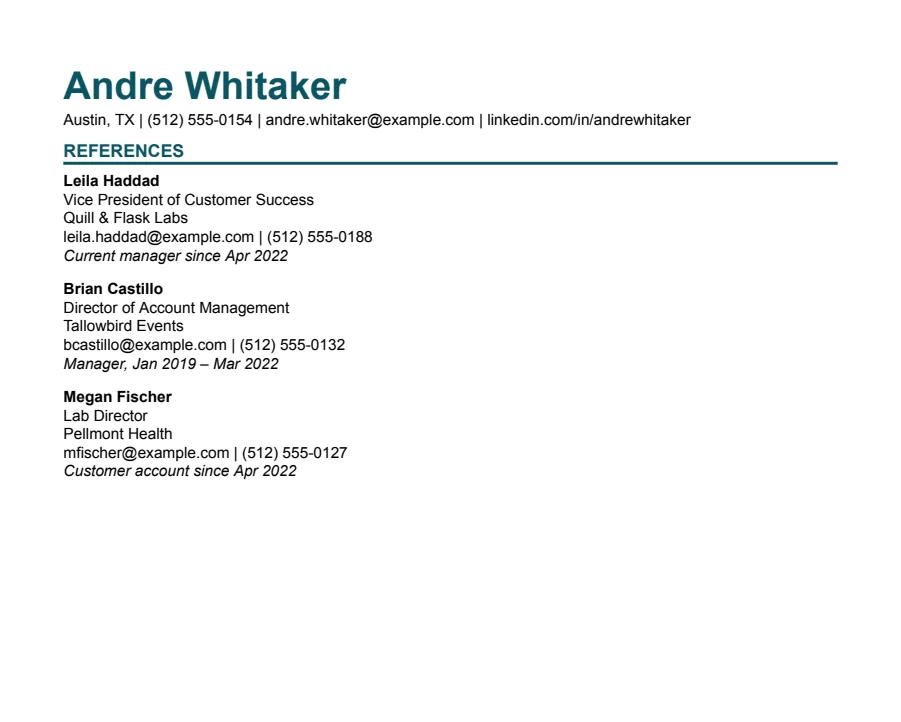
Modern Bold references template
Text reads cleanly
A large teal name and heavy rules under each heading. Stands out in a stack of printouts and still reads cleanly in software.
- 1 page
- Letter + A4
- Docs + Word
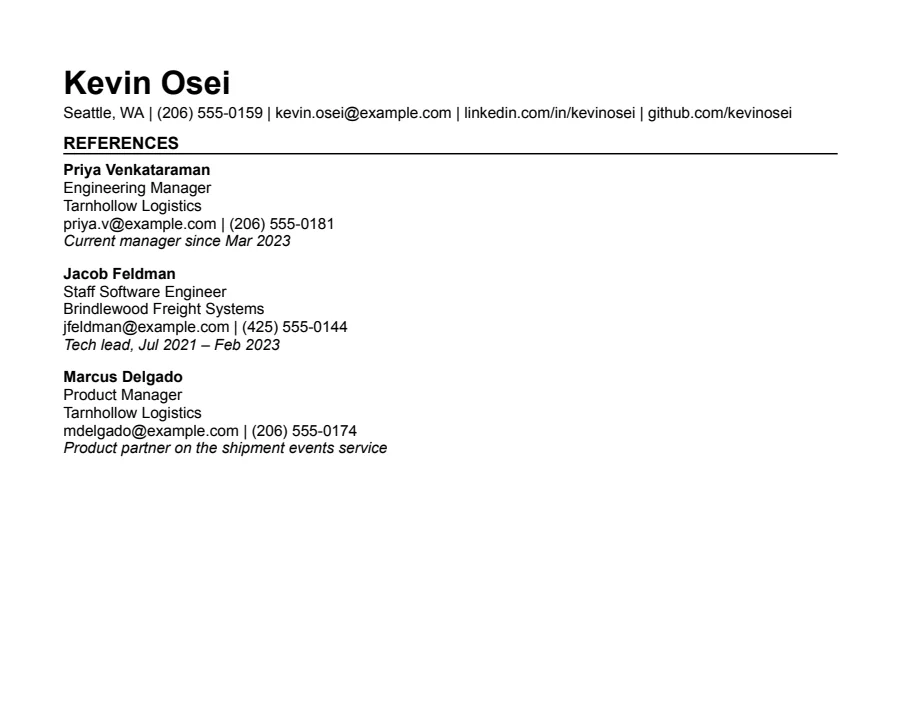
Technical references template
Text reads cleanly
Grouped technical skills first, then experience and projects with the numbers engineers look for. A sans-serif cousin of Jake's.
- 1 page
- Letter + A4
- Docs + Word
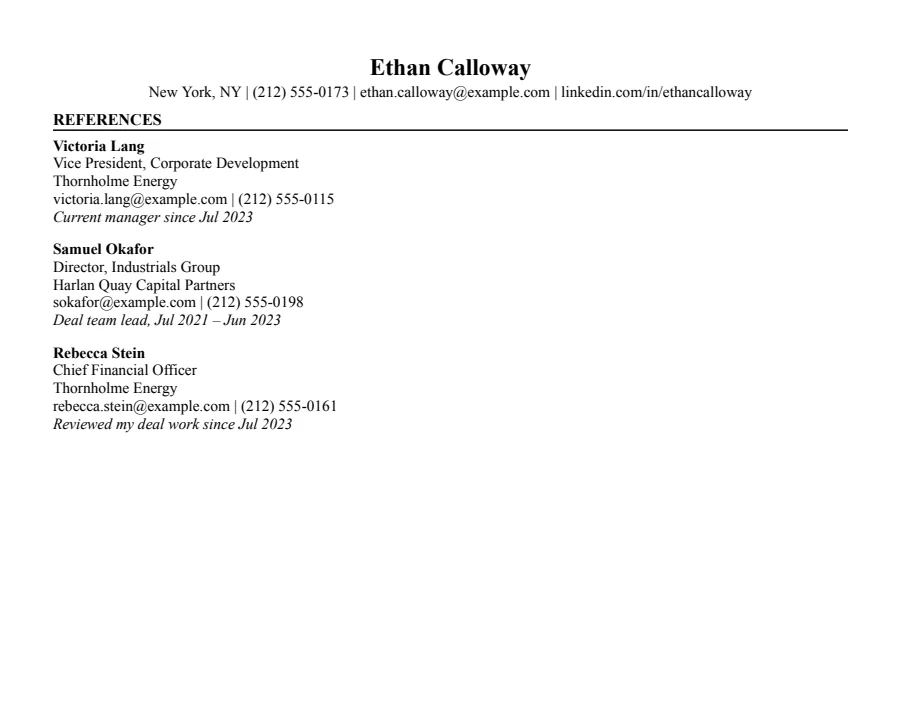
Finance references template
Text reads cleanly
The investment banking format: education and GPA first, half-inch margins, every line earning its place. For finance, banking and consulting.
- 1 page
- Letter + A4
- Docs + Word
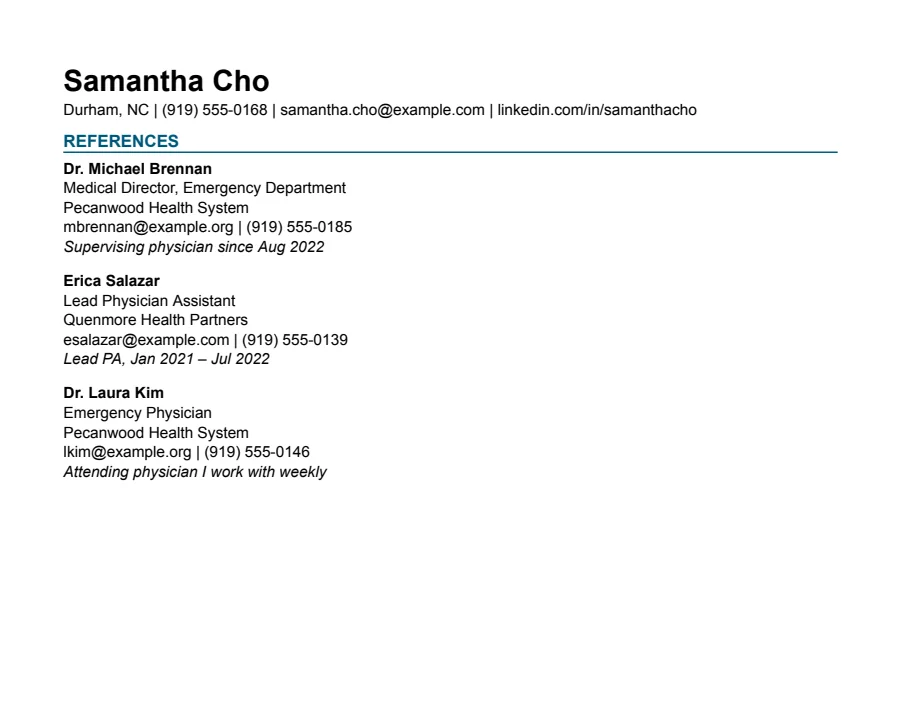
Healthcare references template
Text reads cleanly
Licenses and certifications sit right under your summary, where hiring managers look first. For PAs, nurses, therapists and techs.
- 1 page
- Letter + A4
- Docs + Word
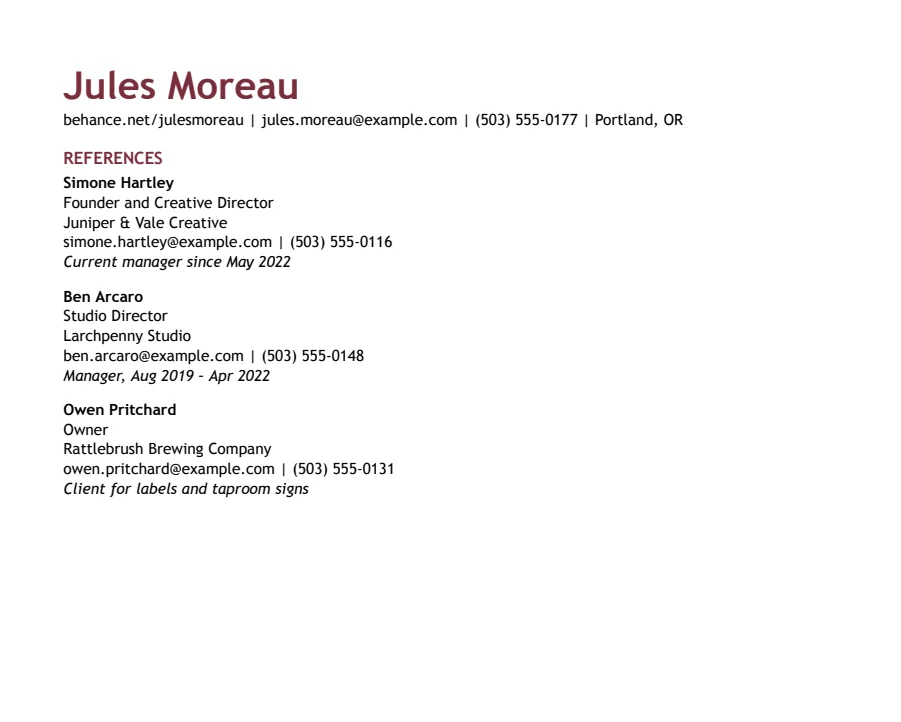
Creative references template
Text reads cleanly
Color in the name and headings, your portfolio link first, and a section for selected projects. Personality without columns or graphics.
- 1 page
- Letter + A4
- Docs + Word
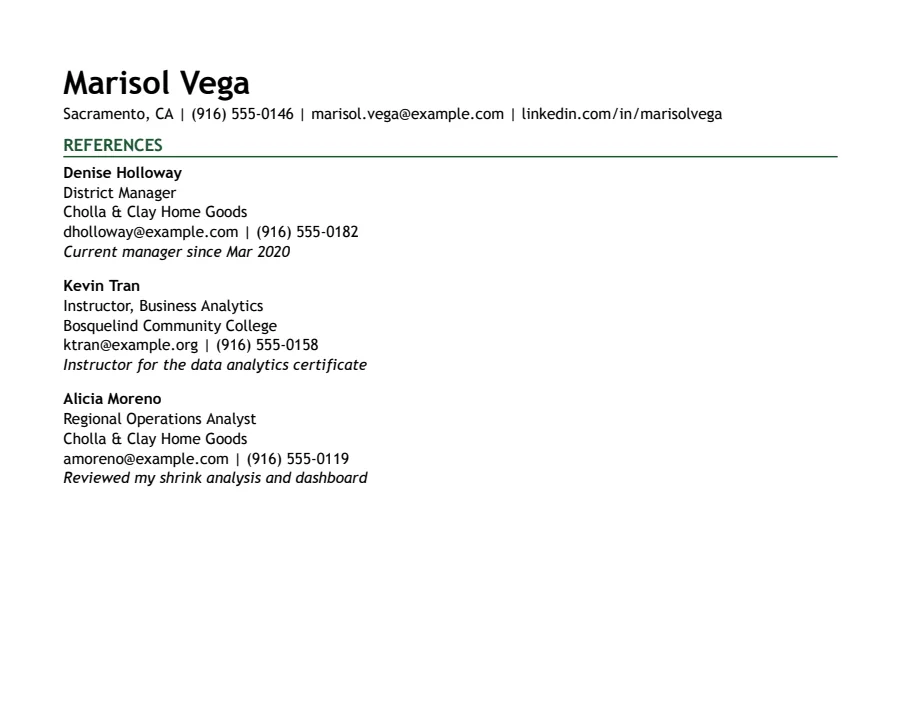
Career Change references template
Text reads cleanly
Summary, skills and relevant projects first, so the reader sees where you're going before where you've been.
- 1 page
- Letter + A4
- Docs + Word
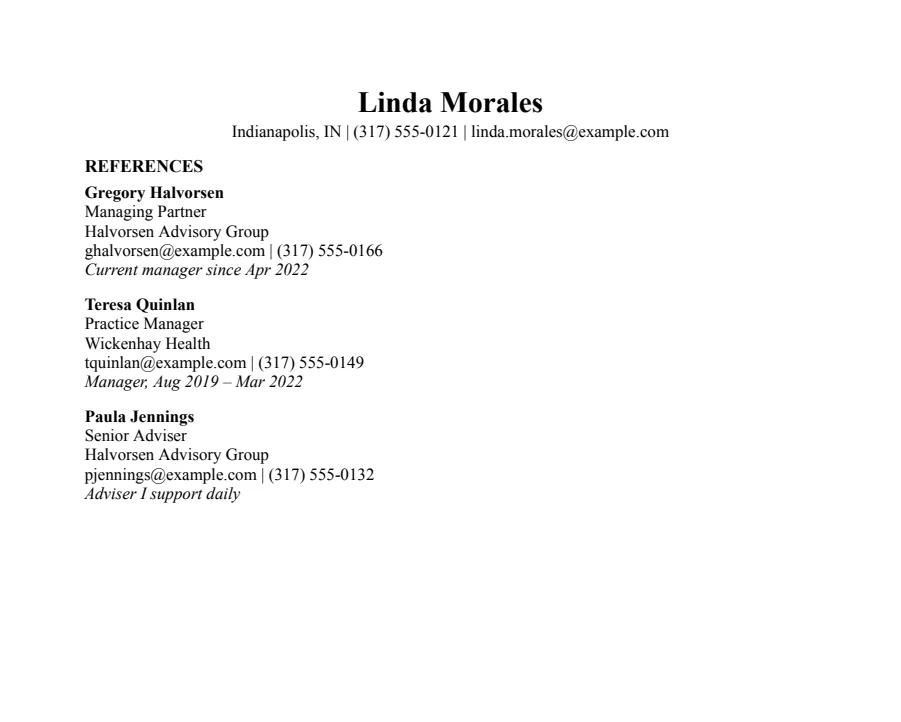
Basic references template
Text reads cleanly
The most traditional layout here: centered name, bold headings, Times New Roman and no lines. For any job where the content should do the talking.
- 1 page
- Letter + A4
- Docs + Word
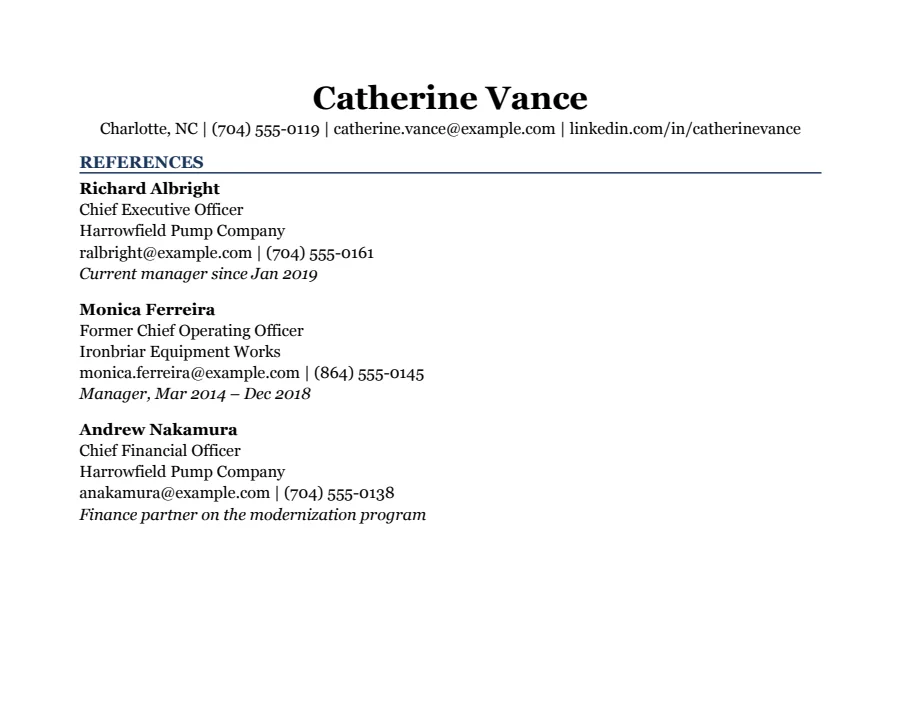
Executive references template
Text reads cleanly
Two pages for senior leaders: an executive summary, core skills, then each role written as results. Navy headings in Georgia.
- 1 page
- Letter + A4
- Docs + Word
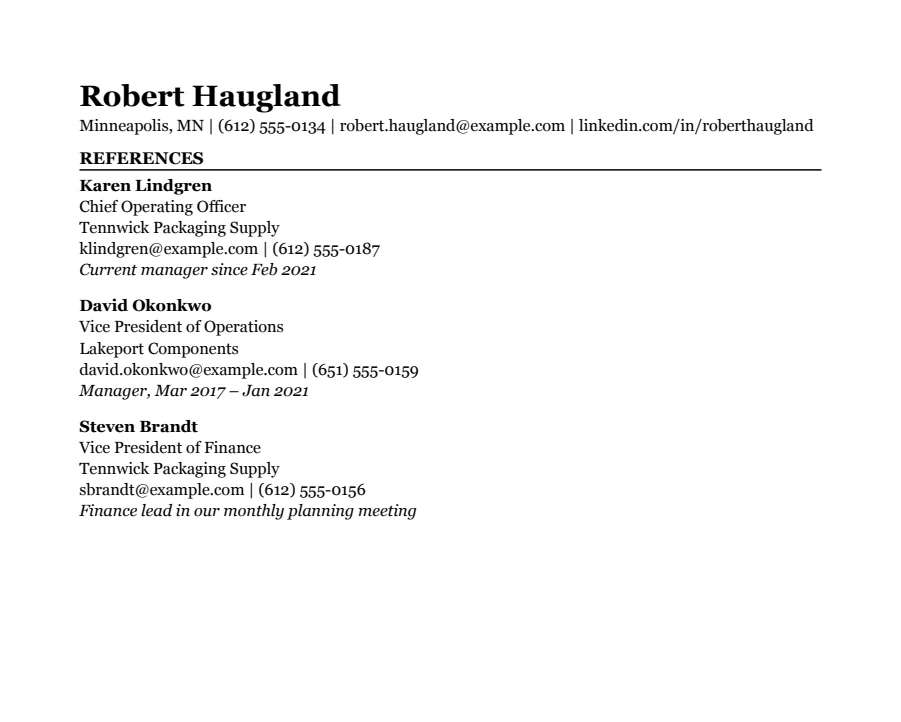
Two-page Professional references template
Text reads cleanly
For 10+ years of experience: recent roles in full, earlier jobs kept short, and a second page that looks planned rather than spilled over.
- 1 page
- Letter + A4
- Docs + Word
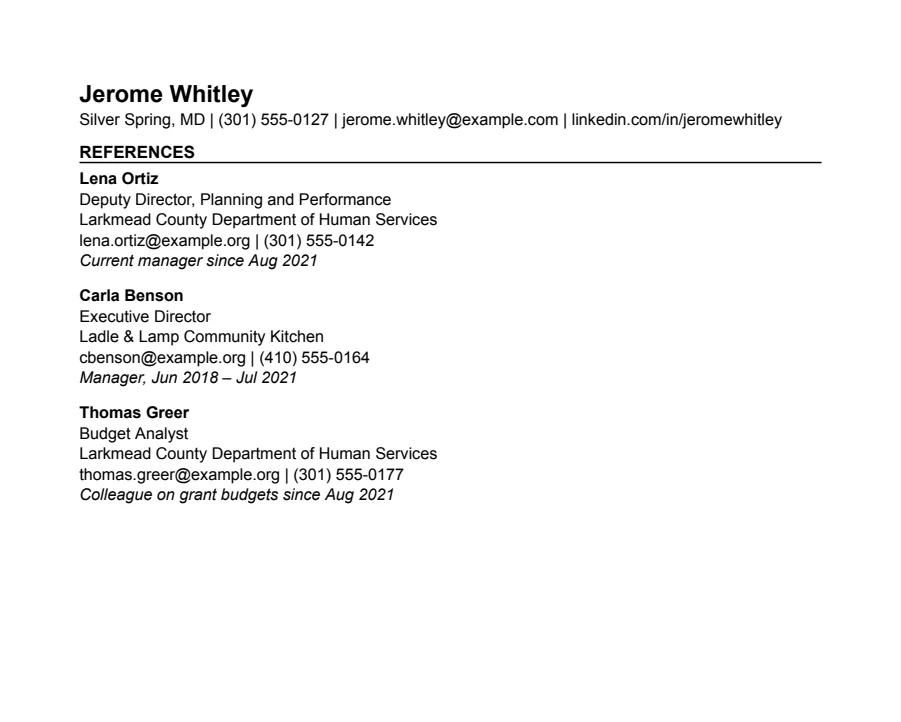
Federal references template
Text reads cleanly
For USAJOBS applications: each job lists hours, salary and who you reported to, with eligibility up front. Two pages.
- 1 page
- Letter + A4
- Docs + Word
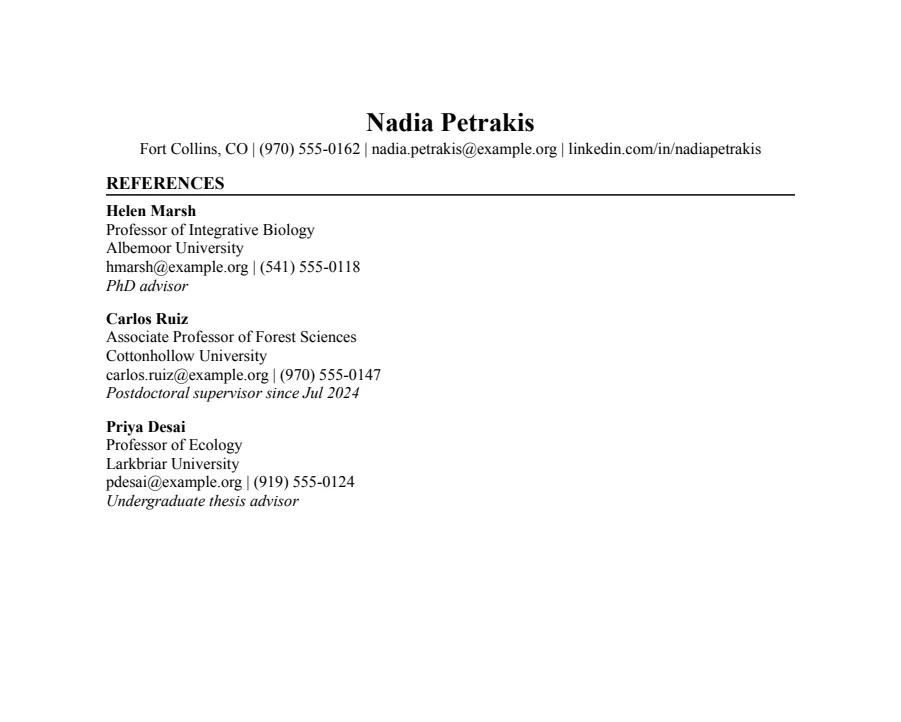
Academic CV references template
Text reads cleanly
For faculty, postdoc and PhD applications: education first, then research, publications, talks, teaching and grants. Starts at two pages and grows.
- 1 page
- Letter + A4
- Docs + Word
How to list a reference
Give each reference five or six short lines, in this order:
Priya Raman
Engineering Manager, Dispatch Tools
Ironhaw Freight
priya.raman@example.com | (312) 555-0161
Internship manager, May 2025 – Aug 2025
The last line tells the employer how you know each other. It saves them a question and helps them decide who to call first.
Who to ask
- A recent manager who saw your work up close. This is the one most employers want.
- A colleague, client or project partner who can talk about a specific piece of work.
- For students: a professor, a lab or club advisor, or a part-time job supervisor.
Three is the usual number. Ask each person first, tell them which jobs you're applying for, and send them your current resume so they know what you're claiming.
When to send it
Only when an employer asks, which is usually after an interview. Keep it as a separate file rather than adding it to your resume, and don't write “References available on request” on the resume itself.
Questions
- Should references be on my resume?
- No. Keep them on a separate page and send it when asked. That keeps your resume to one page and your references' contact details private until they're needed.
- Can I use a friend or family member?
- Not as a professional reference. If you have little work history, a teacher, coach or volunteer coordinator is a better choice.
- What if my manager left the company?
- List their current title and employer, and add a line saying they managed you at your old company, with dates.