Plain resume template for Google Docs™
Nothing but text, left-aligned, in Arial. A safe default for any job when you don't want the layout to be noticed.
- Parser read 33/33 fields
- 1 page
- US Letter and A4
- Google Docs and Word
- Arial
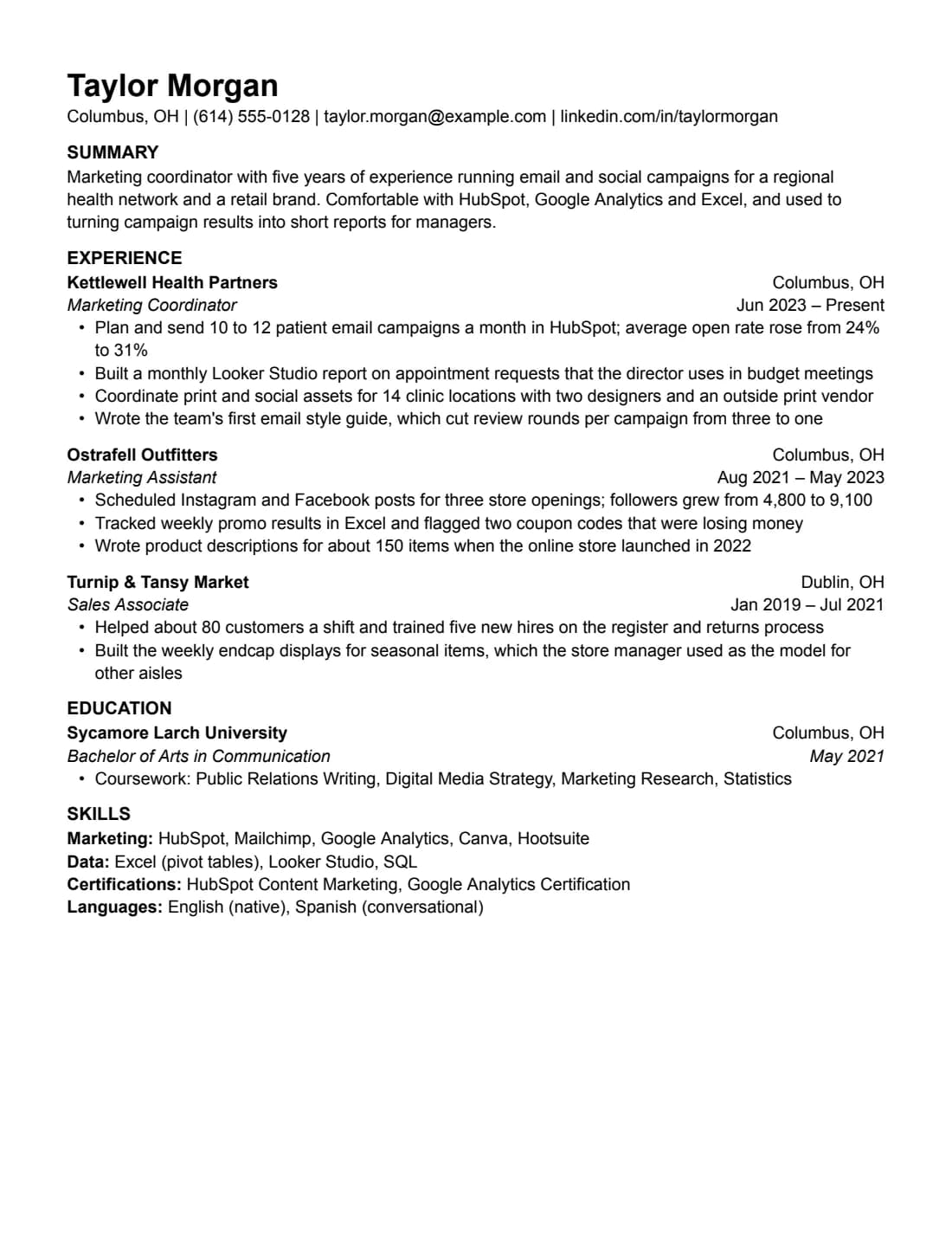
How the Plain resume template reads in a parser
We downloaded the Plain resume template from Google Docs as a PDF, the same way you would, and ran it through OpenResume, an open-source resume parser. It put all 33 fields where they belong: name and contact details, the summary, three jobs with their titles, dates and nine bullets, the school and degree, and four lines of skills. The A4 version got 33 out of 33 as well.
33/33
fields read correctly from the resume (US Letter), downloaded from Google Docs as a PDF and read by the open-source OpenResume parser (commit 4f8255a) on Oct 23, 2026.
What the parser read
First 30 lines, exactly as extracted.
Taylor Morgan
Columbus, OH | (614) 555-0128 | taylor.morgan@example.com | linkedin.com/in/taylormorgan
SUMMARY
Marketing coordinator with five years of experience running email and social campaigns for a regional
health network and a retail brand. Comfortable with HubSpot, Google Analytics and Excel, and used to
turning campaign results into short reports for managers.
EXPERIENCE
Kettlewell Health Partners    Columbus, OH
Marketing Coordinator    Jun 2023 – Present
•    Plan and send 10 to 12 patient email campaigns a month in HubSpot; average open rate rose from 24%
to 31%
•    Built a monthly Looker Studio report on appointment requests that the director uses in budget meetings
•    Coordinate print and social assets for 14 clinic locations with two designers and an outside print vendor
•    Wrote the team's first email style guide, which cut review rounds per campaign from three to one
Ostrafell Outfitters    Columbus, OH
Marketing Assistant    Aug 2021 – May 2023
•    Scheduled Instagram and Facebook posts for three store openings; followers grew from 4,800 to 9,100
•    Tracked weekly promo results in Excel and flagged two coupon codes that were losing money
•    Wrote product descriptions for about 150 items when the online store launched in 2022
Turnip & Tansy Market    Dublin, OH
Sales Associate    Jan 2019 – Jul 2021
•    Helped about 80 customers a shift and trained five new hires on the register and returns process
•    Built the weekly endcap displays for seasonal items, which the store manager used as the model for
other aisles
EDUCATION
Sycamore Larch University    Columbus, OH
Bachelor of Arts in Communication    May 2021
•    Coursework: Public Relations Writing, Digital Media Strategy, Marketing Research, Statistics
SKILLS
Marketing: HubSpot, Mailchimp, Google Analytics, Canva, Hootsuite
Field by field
What we wrote, and what the parser put in each field.
| Field | Parser read | Match |
|---|---|---|
| Name | Taylor Morgan | |
| taylor.morgan@example.com | ||
| Phone | (614) 555-0128 | |
| Location | Columbus, OH | |
| Link | linkedin.com/in/taylormorgan | |
| Summary | Marketing coordinator with five years of experience running email and social campaigns for a regional health network and a retail brand. Comfortable with HubSpot, Google Analytics and Excel, and used to turning campaign results into short reports for managers. | |
| Job 1 company | Kettlewell Health Partners | |
| Job 1 title | Marketing Coordinator | |
| Job 1 dates | Jun 2023 – Present | |
| Job 1, bullet 1 | Plan and send 10 to 12 patient email campaigns a month in HubSpot; average open rate rose from 24% to 31% | |
| Job 1, bullet 2 | Built a monthly Looker Studio report on appointment requests that the director uses in budget meetings | |
| Job 1, bullet 3 | Coordinate print and social assets for 14 clinic locations with two designers and an outside print vendor | |
| Job 1, bullet 4 | Wrote the team's first email style guide, which cut review rounds per campaign from three to one | |
| Job 2 company | Ostrafell Outfitters | |
| Job 2 title | Marketing Assistant | |
| Job 2 dates | Aug 2021 – May 2023 | |
| Job 2, bullet 1 | Scheduled Instagram and Facebook posts for three store openings; followers grew from 4,800 to 9,100 | |
| Job 2, bullet 2 | Tracked weekly promo results in Excel and flagged two coupon codes that were losing money | |
| Job 2, bullet 3 | Wrote product descriptions for about 150 items when the online store launched in 2022 | |
| Job 3 company | Turnip & Tansy Market | |
| Job 3 title | Sales Associate | |
| Job 3 dates | Jan 2019 – Jul 2021 | |
| Job 3, bullet 1 | Helped about 80 customers a shift and trained five new hires on the register and returns process | |
| Job 3, bullet 2 | Built the weekly endcap displays for seasonal items, which the store manager used as the model for other aisles | |
| School 1 | Sycamore Larch University | |
| School 1 degree | Bachelor of Arts in Communication | |
| School 1 dates | May 2021 | |
| School 1 GPA | (empty) | |
| School 1, bullet 1 | Coursework: Public Relations Writing, Digital Media Strategy, Marketing Research, Statistics | |
| Skills line 1 | Marketing: HubSpot, Mailchimp, Google Analytics, Canva, Hootsuite | |
| Skills line 2 | Data: Excel (pivot tables), Looker Studio, SQL | |
| Skills line 3 | Certifications: HubSpot Content Marketing, Google Analytics Certification | |
| Skills line 4 | Languages: English (native), Spanish (conversational) |
Shown but not counted
- Columbus, OH: no location field for jobs. It's in the extracted text.
- Columbus, OH: no location field for jobs. It's in the extracted text.
- Dublin, OH: no location field for jobs. It's in the extracted text.
- Columbus, OH: no location field for schools. It's in the extracted text.
This checks our sample text, read by one open-source parser from the PDF that Google Docs' File > Download > PDF produces. It isn't a score, and it doesn't tell you how Workday, Greenhouse or any other hiring system will read your own resume. Anyone can rerun it: the test repository has the PDF (SHA-256 2d5d29d52068…), the expected values and the raw results. How we test. You can run the same parser on your own PDF.
What it doesn't pick up
The town next to each job and school, like “Columbus, OH”, has no field in the parser. It still comes through in the text, and anyone reading the PDF sees it, but it isn't filed as a location. The parser does read the town in the line under your name, so that's the place to say where you're based.
It also keeps only one link from that line. If you add a portfolio next to LinkedIn, the second link won't come out as a separate field.
The spacing that keeps your jobs apart
Plain has no lines or boxes between jobs. The parser tells one job from the next by the gap above it: it starts a new entry when two lines are more than 1.4 times the usual distance apart. That's why each company name has a little extra space above it.
This is the easiest thing to break when you're trying to fit one page. If you remove the space above a job, two jobs can come out as one. Cut words first, then follow the order in the editing tips below: margins, then font size, then line spacing. All three leave that gap alone. The one to avoid is “Remove space before paragraph” in Format > Line & paragraph spacing.
Keep the headings as they are
The parser spots a heading because it's bold and in capitals, then sorts it by the words in it. EXPERIENCE works because it contains a word the parser looks for; so would WORK HISTORY or EMPLOYMENT, typed the same way. CAREER HIGHLIGHTS has none of those words, and the jobs under it wouldn't be read as jobs. Typed in ordinary capitalization, a heading like Work History may not be spotted as a heading at all.
Is Plain the right one?
Plain suits one to eight years of experience in almost any field, when you want people to read the content and not notice the layout. If you're a student with little work history, Student or Jake's put education first. With more than ten years, Compact fits more on one page. Applying outside the US? Switch the paper to A4 above, or look at International CV.
Plain resume template specs
Plus editing tips that keep the layout intact.
Specs
- Font
- Arial, installed on Windows and macOS, so Word won't swap it
- Body text
- 11 pt
- Margins
- 0.6 in (Letter), 15 mm (A4)
- Length
- 1 page with the sample content
- Sections
- Summary, Experience, Education, Skills
- Good for
- 1–8 years
- Layout
- One column, no tables, text boxes, images or icons. Dates aligned with a right tab stop.
Editing tips
- Dates stay on the right by themselves. Each heading line has a right-aligned tab stop. Press Tab before the date instead of adding spaces.
- Add a job by copying one. Select a whole entry, heading lines and bullets, copy it and paste it below. The spacing comes with it.
- Ran onto a second page? Cut a weak bullet first. Then set margins to 0.5 in, body text to 10.5 pt if it's larger, and line spacing to single. More ways to fit one page
- Rename your copy. Recruiters see the file name, so use something like Firstname-Lastname-Resume.
Exporting your finished resume
Two downloads from Google Docs cover almost every application.
File > Download > PDF Document. This is the exact path we test on every release. It gives selectable text with the fonts embedded.
Word
File > Download > Microsoft Word (.docx). Our own .docx files are exported this way, and we check that text and bullets survive. Don't convert a PDF to Word.
Similar resume templates
Same rules, a different look.
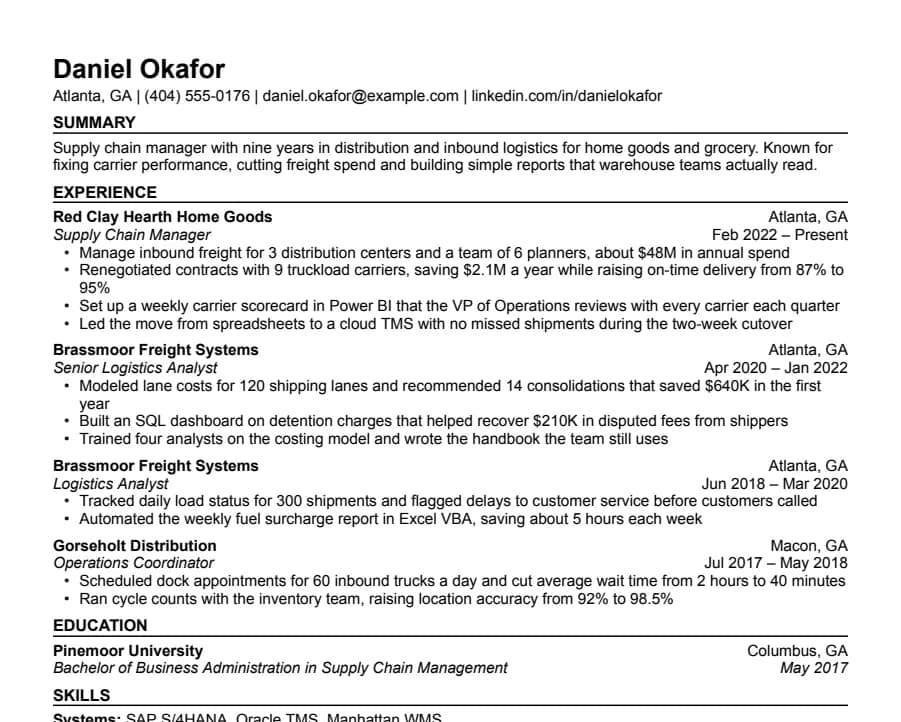
Compact resume template
36/36 fields read
Half-inch margins and tight spacing for people with more experience than one page normally holds.
- 1 page
- Letter + A4
- Docs + Word
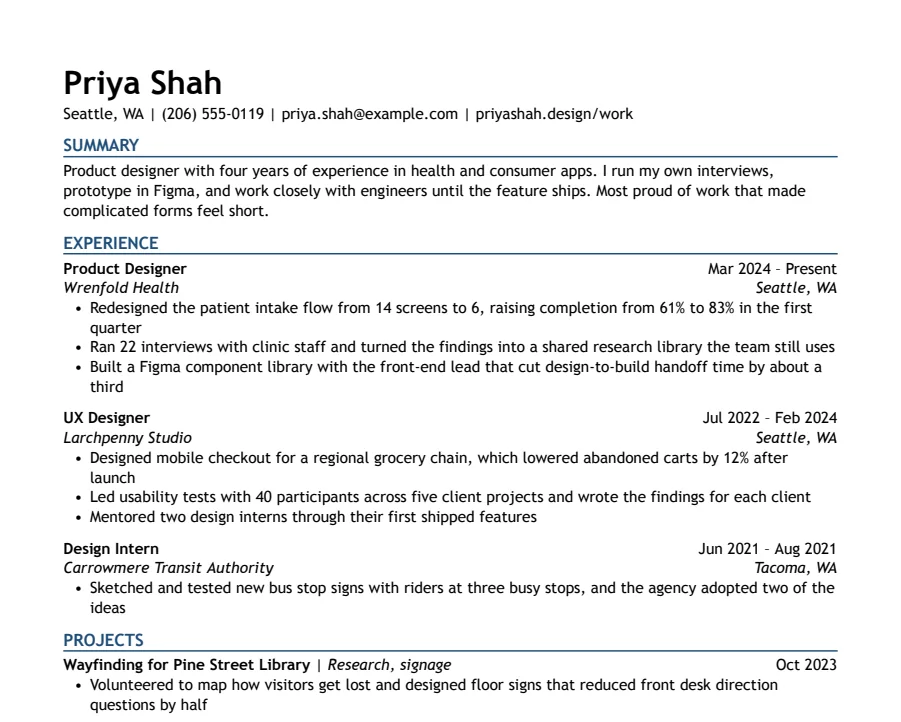
Modern Accent resume template
35/35 fields read
One ink-blue accent on headings and rules, with a summary up top. A plain one-column layout with a little more personality.
- 1 page
- Letter + A4
- Docs + Word
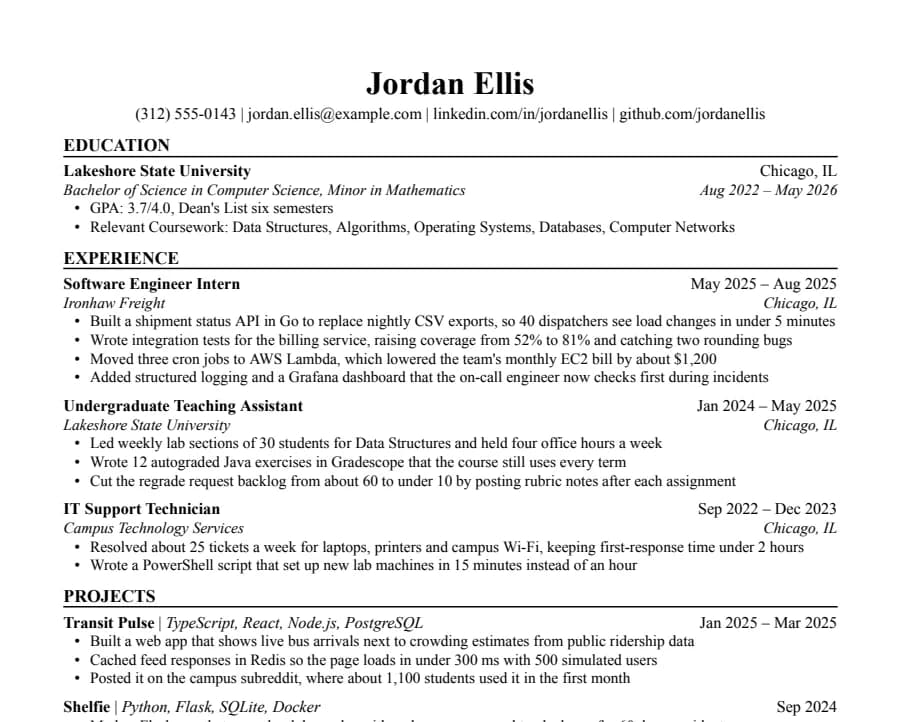
Jake's resume template
46/46 fields read
The Jake's Resume layout rebuilt for Google Docs and Word. Dense, centered, made for tech internships and new-grad roles.
- 1 page
- Letter + A4
- Docs + Word
Questions
- Is the Plain resume template really free?
- Yes. No account with us, no email and no watermark. Copy it, edit it and send it to as many employers as you like. The one thing you can't do is repost the template file itself somewhere else.
- Is the Plain resume template ATS-friendly?
- Nobody can promise that, and we don't. What we can show is that an open-source parser reads our sample of this template correctly, field by field, from the PDF Google Docs produces. Workday, Greenhouse and other hiring systems don't publish how their parsers work, and your own content matters as much as the layout. How we test
- Can I use it in Microsoft Word?
- Yes. Download the .docx, or copy to Google Docs and later use File > Download > Microsoft Word. The font comes with Windows and macOS, so Word won't swap it.
- Why no photo, icons or two columns?
- Each column is narrower, so more lines wrap, and in our parsing test that's where the parser lost fields. Photos and icons caused no missing fields in that test. We leave them out to save room for text, and US employers generally don't want photos.
- Is there a WordPress version?
- Yes. Readable Resume is a free WordPress theme with the same layout, for keeping your resume on your own site and printing it to PDF from there. The WordPress resume theme
- Can my name have accents or non-Latin characters?
- Yes, with one caveat. In our tests on Plain (Arial) and Jake's (Times New Roman), the parser read José Álvarez and Иван Петров correctly, and the layout didn't move. A Chinese name like 王小明 also kept the page intact, but Google Docs swaps in a Japanese font for those characters and the parser left the name field empty. For US applications, put the romanized name first, like Xiaoming Wang (王小明). Phone numbers outside the US format, like +44 7700 900123, aren't picked up as phone numbers either.